Selection Option - ArmaAchilles/Achilles GitHub Wiki
The "Selection Option" is a crucial feature in Achilles which allows processing multiple units at once.
Several modules that are applied to objects can either be placed on top of an object or on no object.
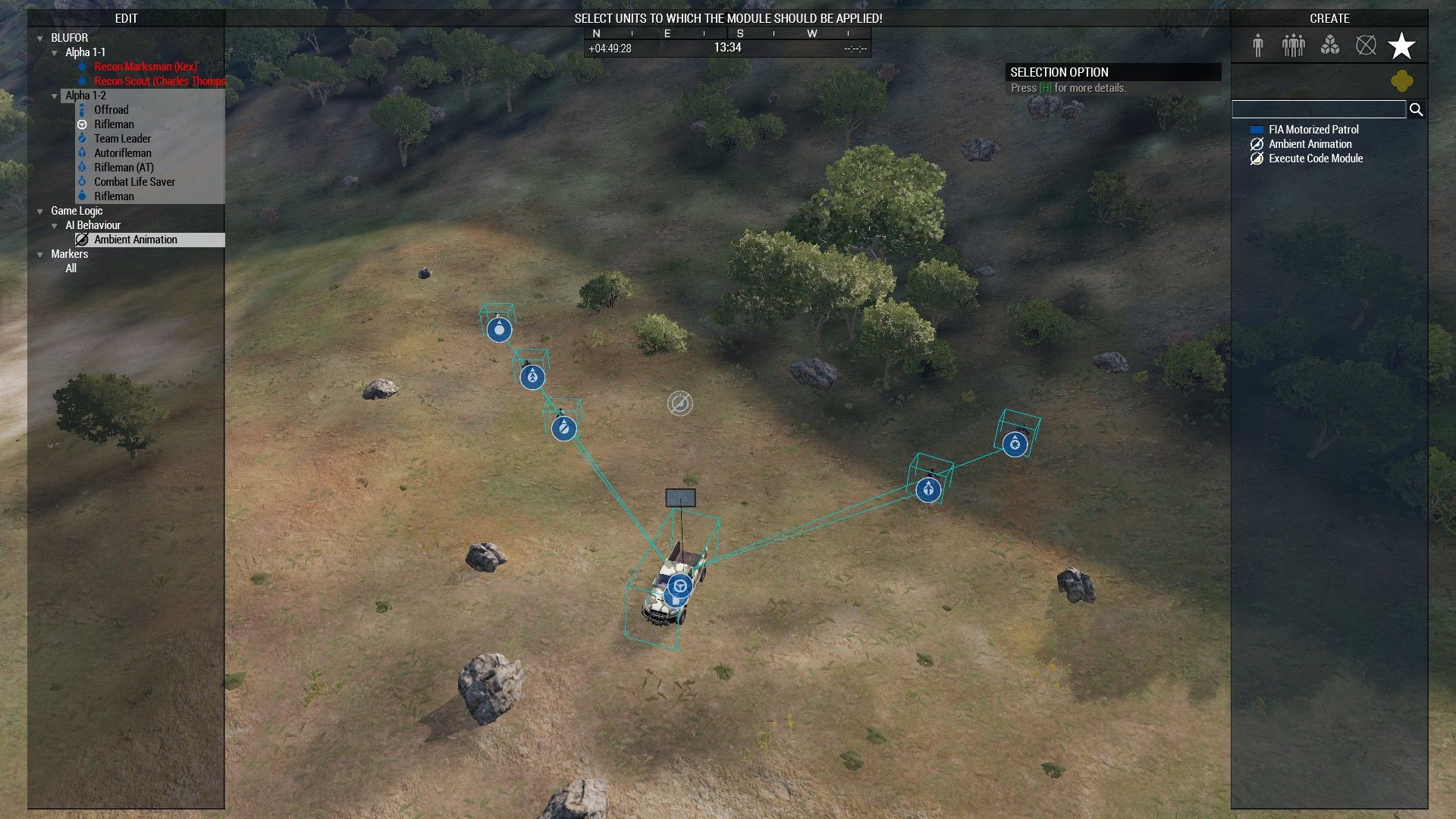
In the case it is not placed on an object, the "Selection Option" gets activated (note the specific sound associated with it).
Note that the "Selection Option" is also used in modules like "Attach to" and "Have a seat".
Once the "Selection Option" is active, you have two choices:
- Cancel by pressing the
ESCAPEkey. - Select objects with your mouse cursor and submit by pressing the
ENTERkey.
Active "Selection Option" (note the instruction on top and the Advanced Hint on "Selection Option" on the right):