01. Blink Virtual LED - ArmDeveloperEcosystem/Corstone-for-Arduino GitHub Wiki
About
This example will use the Arduino IDE's built-in Blink example to turn a virtual LED on and off.
Prerequisites
- AVH EC2 instance that is setup via the Getting Started with Corstone for Arduino guide.
Guide
- VNC into the AVH EC2 instance.
- Start the Arduino IDE:
Applications->Development->Arduino IDE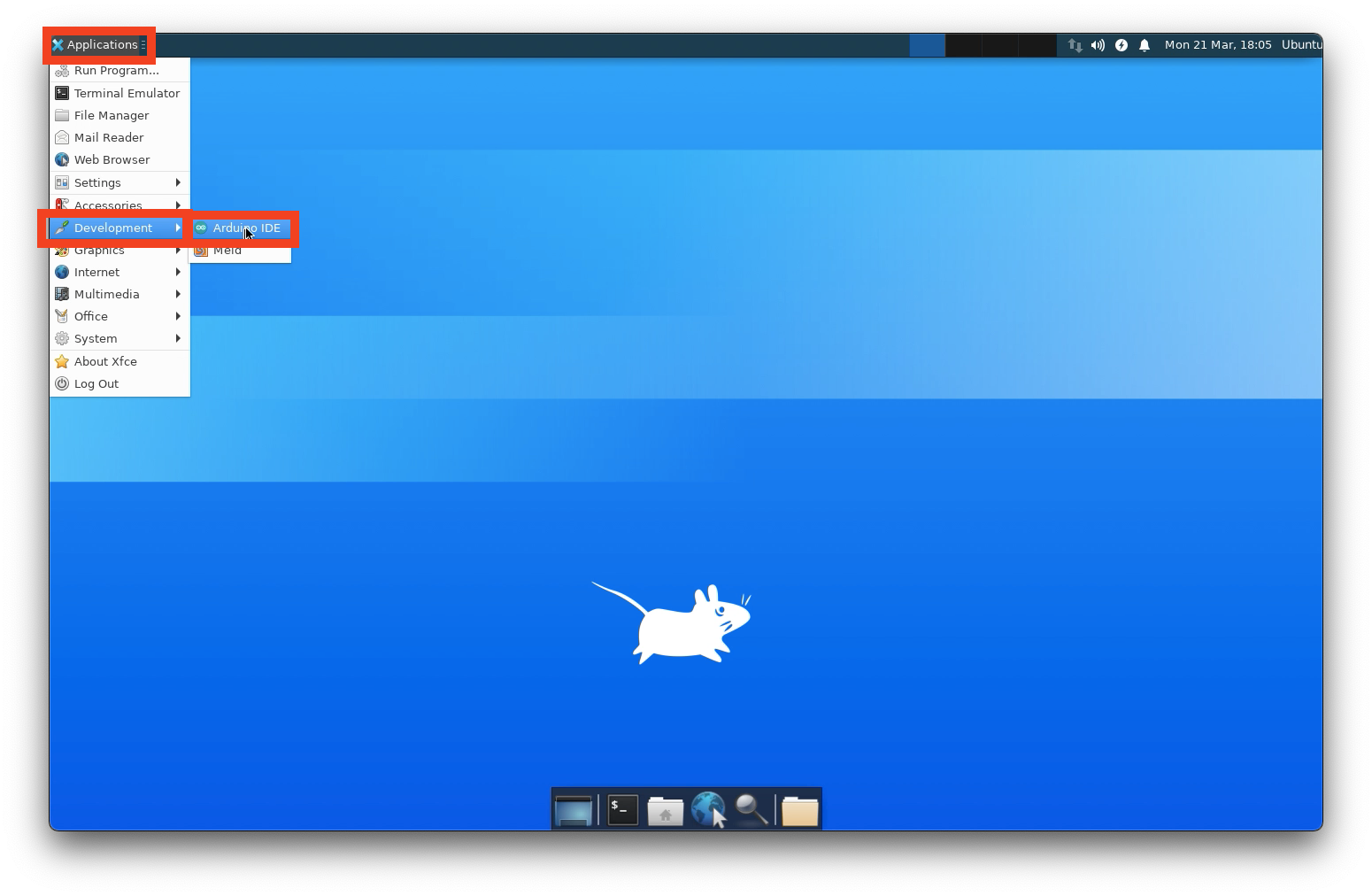
- Select the Arm Corstone-300 board
Tools->Board: ...->Arduino Corstone Boards->Arm Corstone-300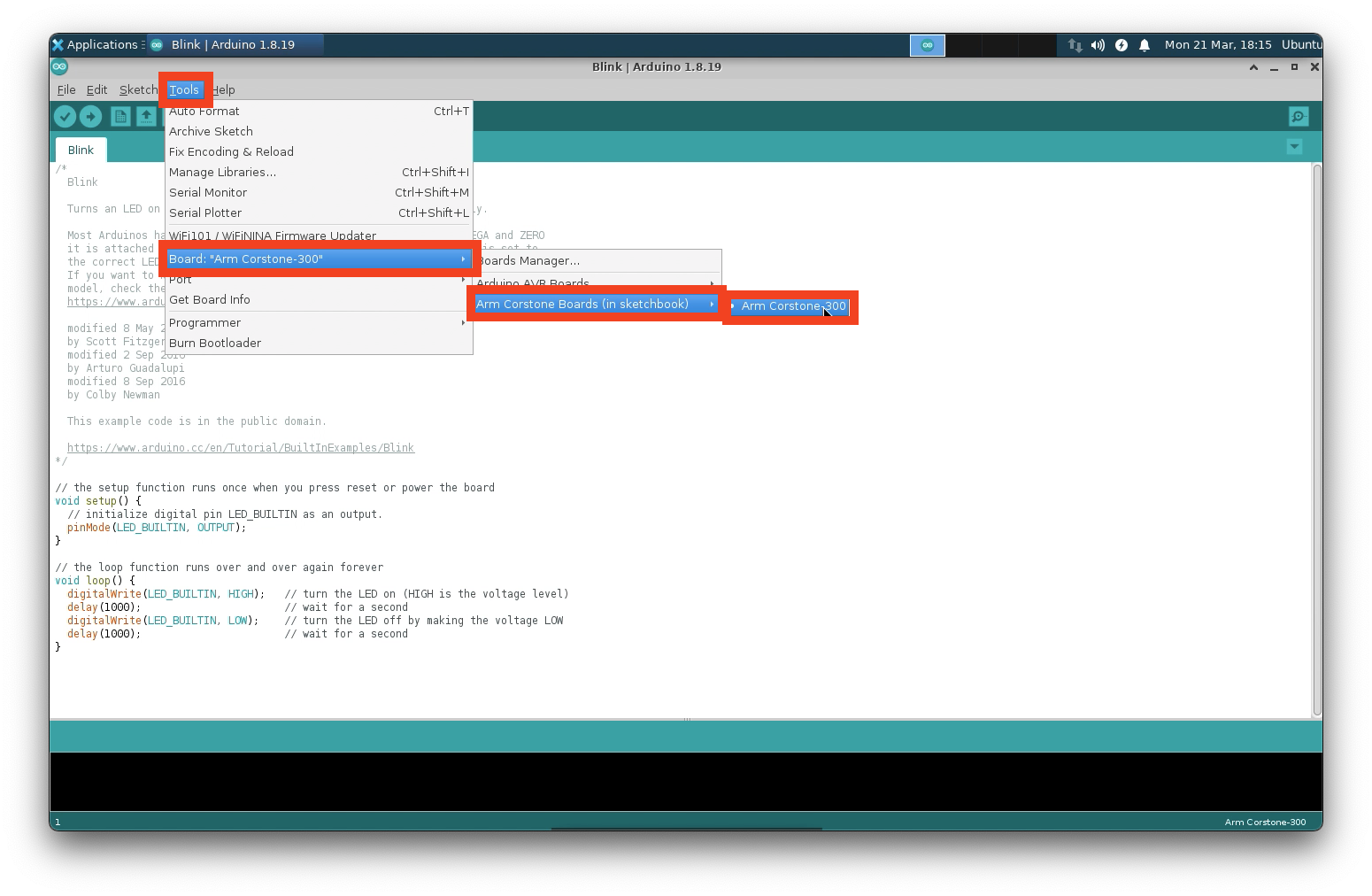
- Open the
Blinkexample:File->Examples->01.Basics->Blink
- Click the
Verifybutton to compile the sketch. - Click the
Uploadbutton to run the sketch.- This will launch the Corstone-300 Fixed Virtual Platform (FVP)
- The Corstone-300 FVP will launch, and the right most virtual LED will blink on and off.
- Virtual LED on (red):

- Virtual LED off (green):

- Virtual LED on (red):
- You can close the Corstone-300 FVP by click on the
Xon the top right corner of the window.