Persistence Interval Example - AretasSensorNetworks/APIExamples GitHub Wiki
When tracking objects in real time, blink rate can be very fast (in the 10s of milliseconds). Therefore it is not advised to have a high persistence rate to the persistent storage. The location ingest API has a "persist" option, allowing you to have a different persistence rate than update rate. The AretasNanotron middleware also has configurable persistence interval option (which just sets the flag in the REST API call at the requested interval).
The configuration property in the middleware:
#how often do we want to persist location data for analytics
aretas.api.locationpersistenceinterval = 30000
The default configuration is to update the persistent storage every 30 seconds. However, you can go much lower than this. The time series database is well optimized to handle faster update intervals although your analytics client may use a very large amount of RAM when querying high interval data points.
Also some analytics options (such as spaghetti trails or cumulative moving average) do not present well with longer update intervals.
Example with Higher Persistence Interval
The following example demonstrates a blink rate of 500 ms and a persistence interval of 2000ms. The "Tag" is an agent based mocker from our test framework, walking up and down a predetermined path:
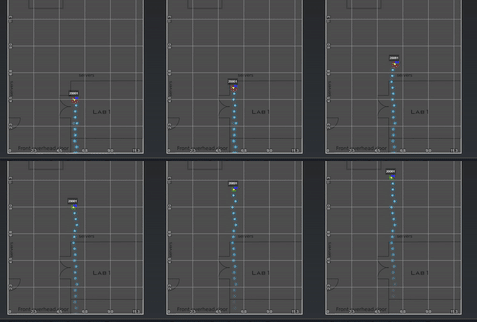
Now, let's look at different analytics options with this Tag.
Point Cloud
The point cloud is a great way to visualize the real positions as recorded in the system with no alteration (such as averaging, outlier filtering, etc).
Point Cloud for Single Tag
Below is a screen capture for the single mock tag with an persistence interval of 2000ms:
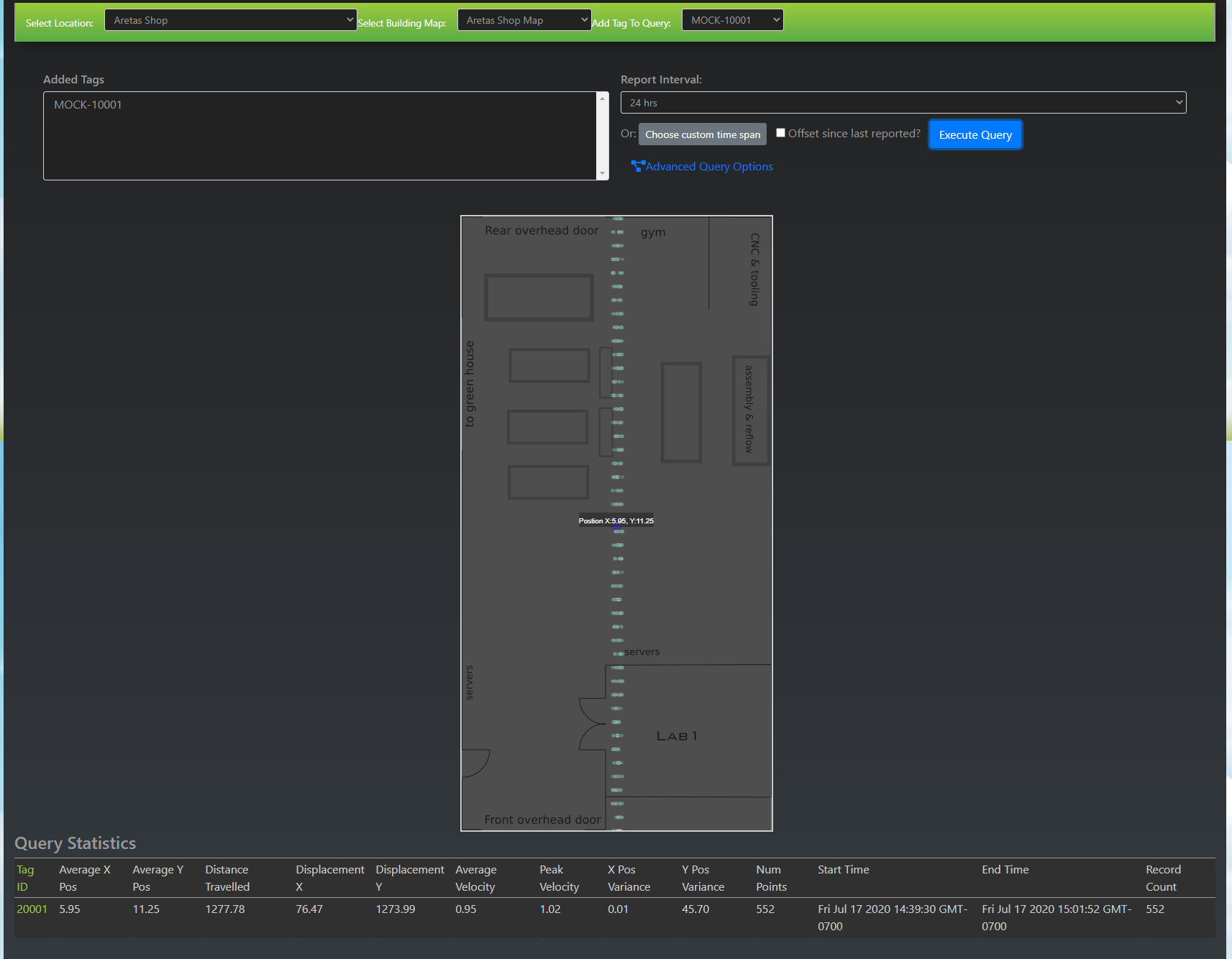
Given that the velocity of the tag is relatively constant, and the update interval constant, the point cloud is spaced out nicely.
Combining High Persistence Interval and Low Persistence Interval
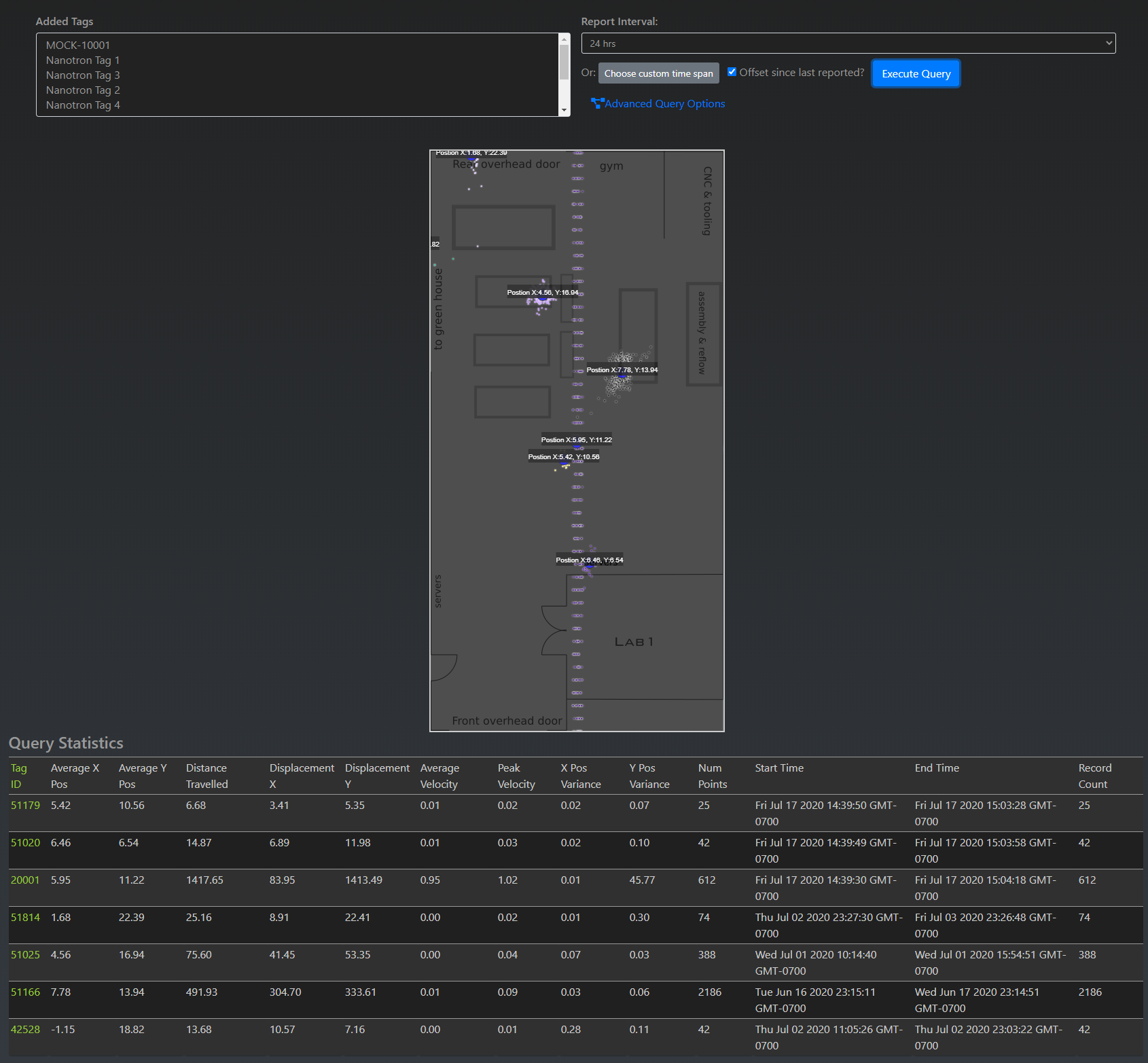
Below is a screen capture for several tags (some stationary and with DEFAULT persistence interval: 30000ms)
Density Map
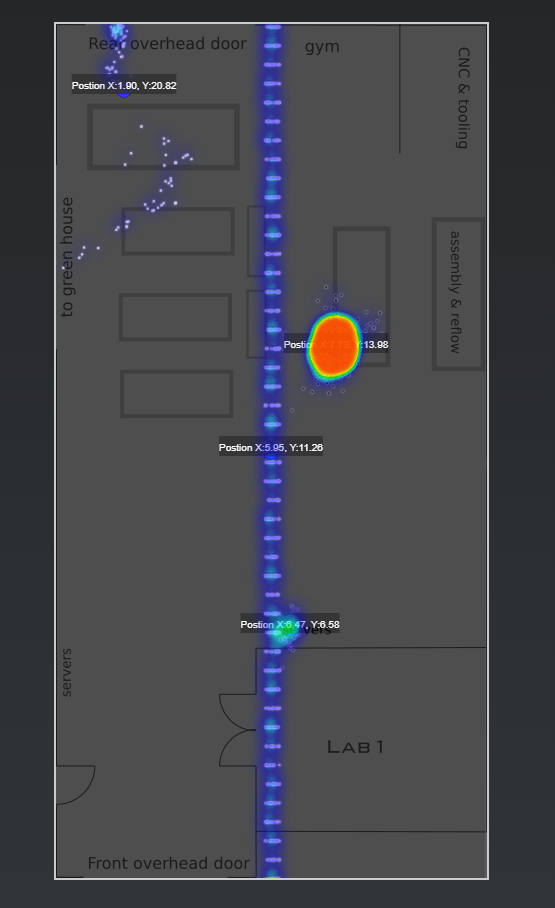
While the point clouds are great, Density Maps are an even better tool for visualizing the historical path density of a tag and gives you an indication of where a tag or group of tags have spent the most time, e.g. travelling on a path, in a stationary position, or clustered with other tags.
Example:
Spaghetti Trails
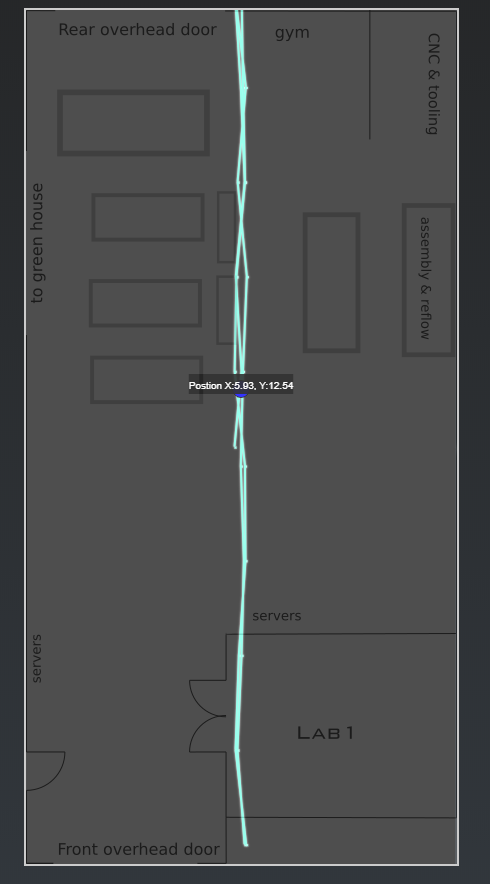
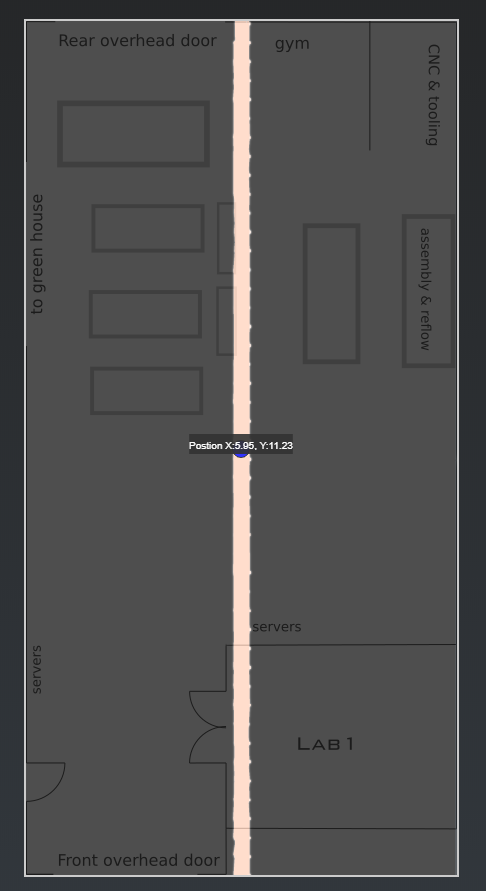
Spaghetti Trails, or Noodle Maps allow you to join the point cloud into a path the object has traveled. However, spaghetti trails can be discontinuous and not very useful with objects that are stationary or have long update intervals.
Example of a spaghetti trail for a mock tag with 2000ms persistence interval over a period of ONE minute:
Example of a spaghetti trail for a mock tag with 2000ms persistence interval over a period of ~1hr (the tag was only active for 1hr prior to the query)
Moving Average
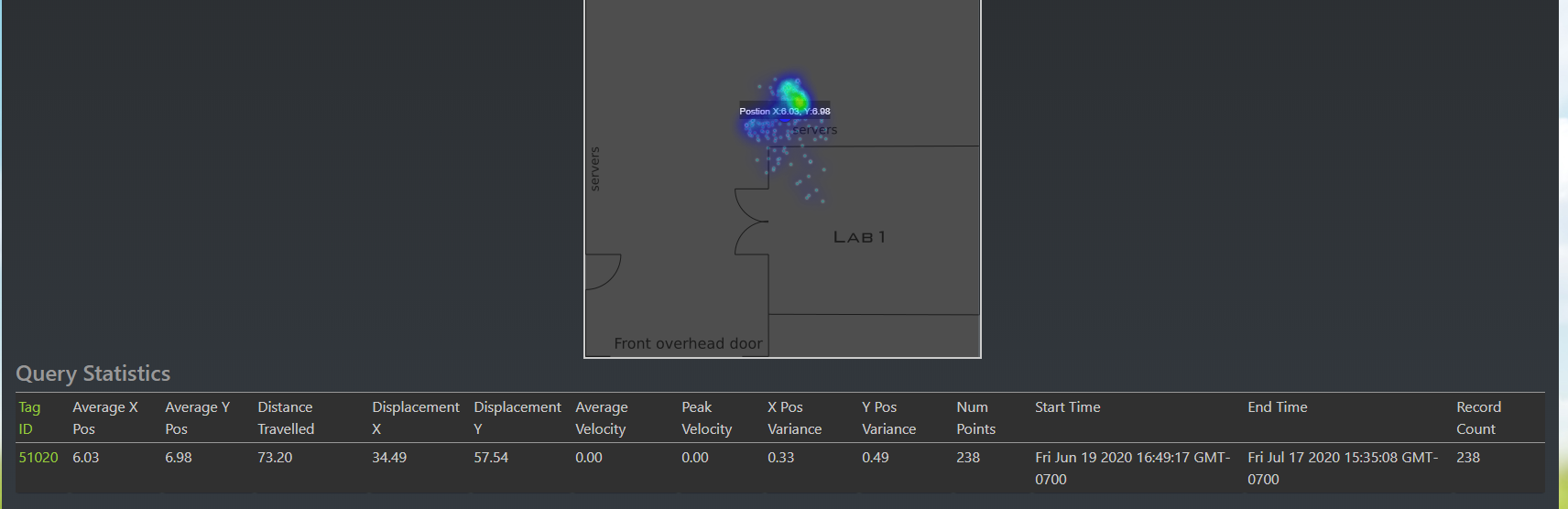
Note that the moving average algorithm is a cumulative moving average algorithm and is NOT a path smoothing algorithm. The algorithm is intended for smoothing over positions of stationary assets or personnel tags that don't move around a lot. Even with larger persistence intervals (e.g. 30s) the amount of data over longer periods of time is quite large.
For a relatively stationary asset or personnel that is working at a particular station, you can easily generate 20-30K points over a 30 day period.
Example:
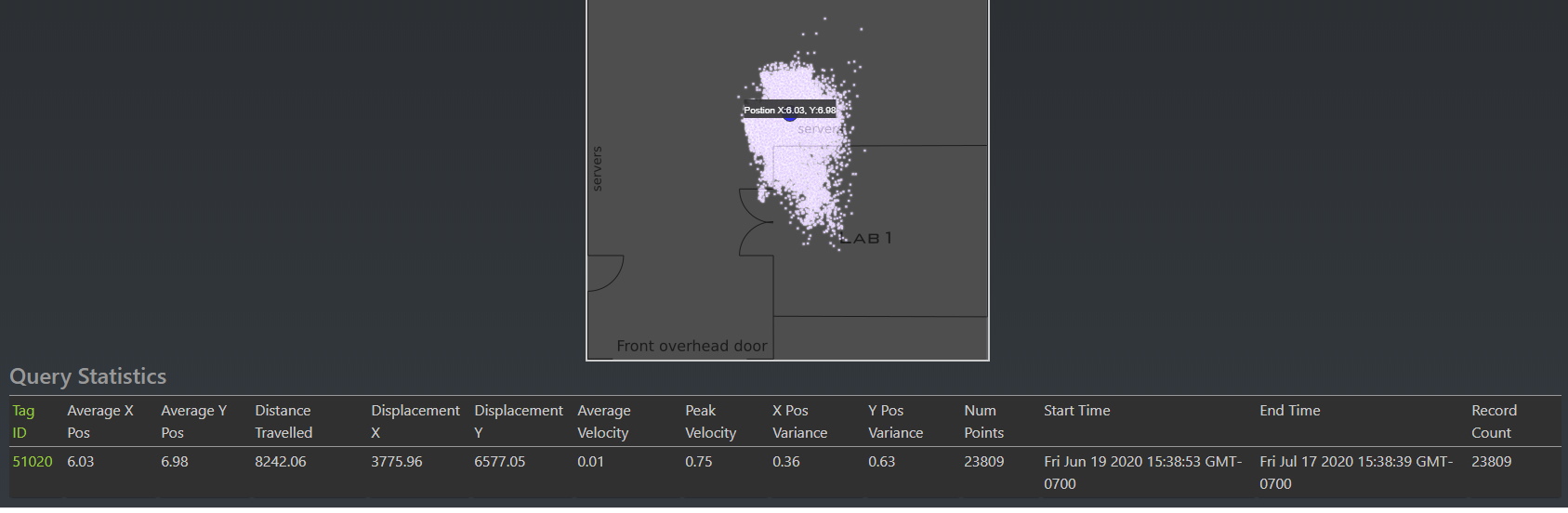
Example with Density Map:
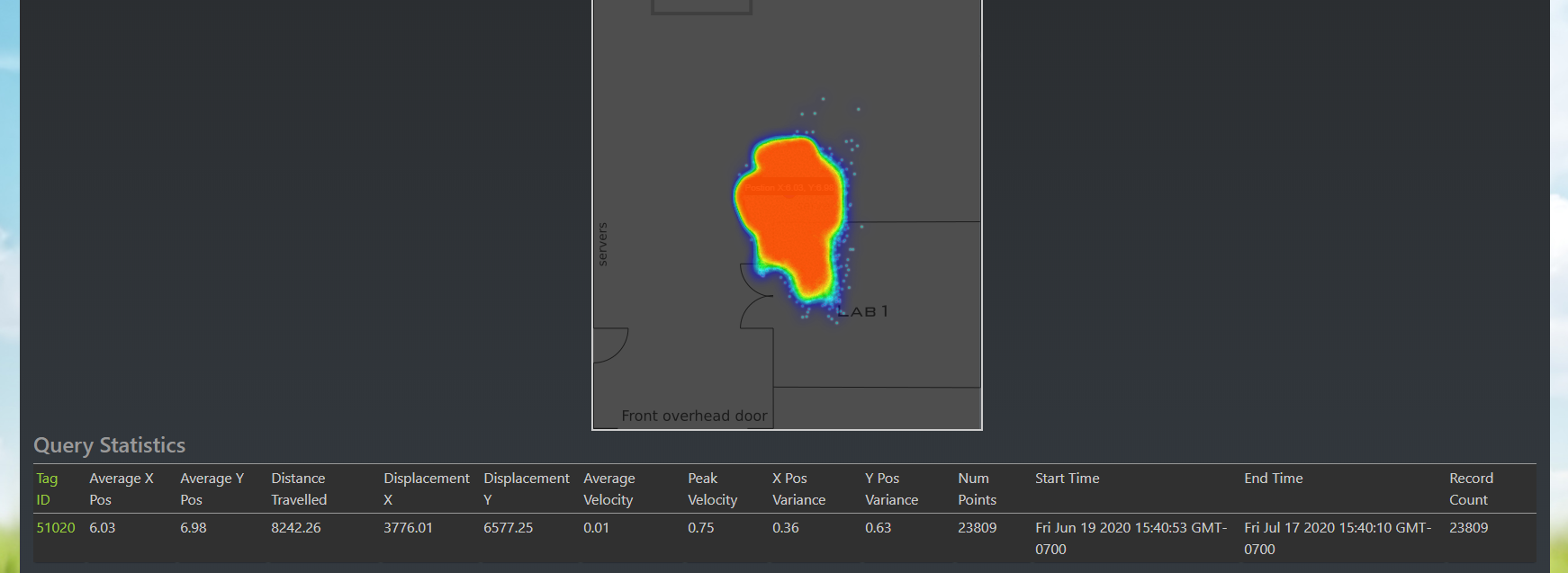
Example with Density Map and Averaging (Window Size 100)
Different algorithms for path smoothing are available by request.