Getting Started - Alshival-Ai/alshitasks GitHub Wiki
Welcome to Alshival
A home for your work, your team, and the assistants helping you along the way.
Start with a workspace
Meet Alshitask for standalone boards, notes, and resources. Install the desktop app, take the board tour, or run the same UI on a VM with the browser/server preview. Optional portal sync connects your work to your team.
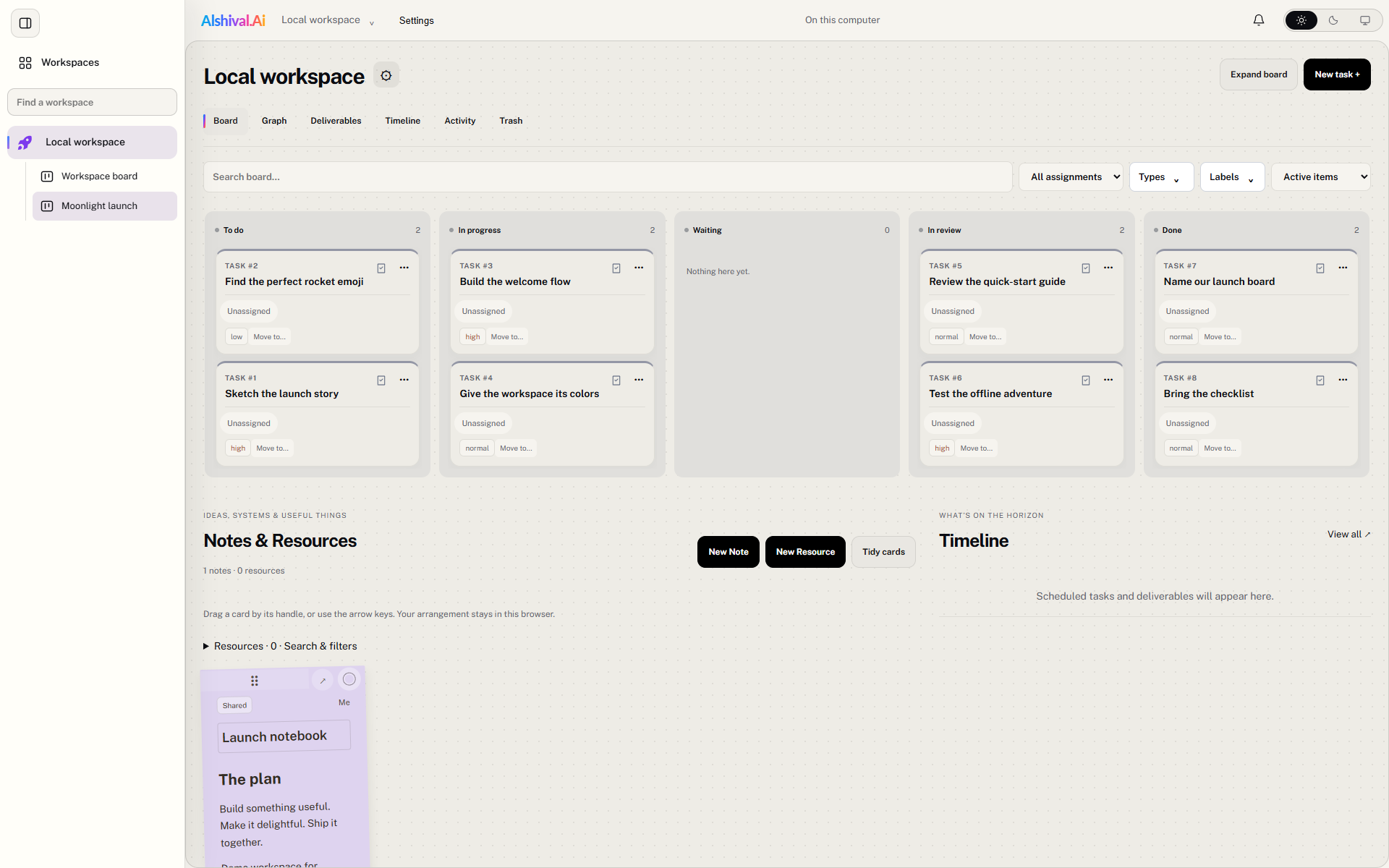
Build something with it
The integration guides cover the cloud API, desktop API, MCP assistants, and resource logs. Choose your destination before configuring credentials.
Choose a destination
| Destination | Base URL | Setup |
|---|---|---|
| Cloud | https://api.alshival.ai |
Sign in to the portal, select an API-enabled workspace, and create a credential with the required scopes. |
| Desktop | http://127.0.0.1:8765 |
Open a resource in AlShiTasks, choose Logs → Send logs here, enable the listener, and create a sender token. Use the port shown in your app. |
Cloud and desktop use separate credentials. Only the workspace/resource logging contract is interchangeable; other routes differ. See compatibility.
Discover cloud workspaces and resources
Keep tokens in environment variables. Substitute your own values for all placeholders; never paste a real token into a wiki, source file, screenshot, or browser-side application.
export ALSHIVAL_BASE_URL='https://api.alshival.ai'
# Set ALSHIVAL_TOKEN through your secret manager or a private shell environment.
curl --fail-with-body -H "Authorization: Bearer $ALSHIVAL_TOKEN"   "$ALSHIVAL_BASE_URL/v1/workspaces"
export ALSHIVAL_WORKSPACE_ID='YOUR_WORKSPACE_UUID'
curl --fail-with-body -H "Authorization: Bearer $ALSHIVAL_TOKEN"   "$ALSHIVAL_BASE_URL/v1/workspaces/$ALSHIVAL_WORKSPACE_ID/resources"
export ALSHIVAL_RESOURCE_ID='YOUR_RESOURCE_UUID'
Your credential must have permission to discover the workspace and read its resources. A restricted log sender may be unable to list them; obtain the IDs from the workspace administrator instead. Desktop Send logs here supplies the exact IDs and paths.
Send your first log
Follow Sending resource logs for a copyable request and then query the resource or open its Logs panel to confirm receipt. A successful HTTP response means acceptance, not indefinite retention.
Explore the API
- Authentication and permissions
- Projects, tasks, notes and tickets
- Resources and monitoring
- Services and usage
- Desktop API
- Cloud endpoint reference
- Troubleshooting
The interactive cloud reference and live OpenAPI schema describe the deployed API. These guides are also published in the AlShiTasks wiki.
Published from the versioned Alshival documentation source. Edit the source rather than this generated page.