All selection queries must end with forwarding operator (->) pointing to RESULT constant.
To select all data from the table, you need to just specify table's name and forward it to RESULT.
If you only need a part of table's columns, you can apply projection.
| table |
[field1, field2] |
-> |
RESULT |
To select data by criteria, you need to use restriction.
Only those rows that match the condition will be returned.
Note: You are not limited to only one expression, you can unite multiple by using logical operators between them.
| table |
[field1 θ field2] |
-> |
RESULT |
- Comparisions
- Arithmethic
- Logical
- Grouping
- ( "expr0" θ ("expr1" θ "expr2") )
- Similarity
- Like ("string" ~ "wildcard")
- In range ("number" ~ "lower limit" & "higher limit")
- Relational division
To select data from multiple tables, you need to join them beforehand.
Note: You can access tables' columns by using L and R constants.
Returns ordered pairs of all rows from each table.
| tableLeft |
X |
tableRight |
-> |
RESULT |
Joins tables based on their column names.
| tableLeft |
[] |
tableRight |
-> |
RESULT |
Joins tables and returns only those rows that match the condition.
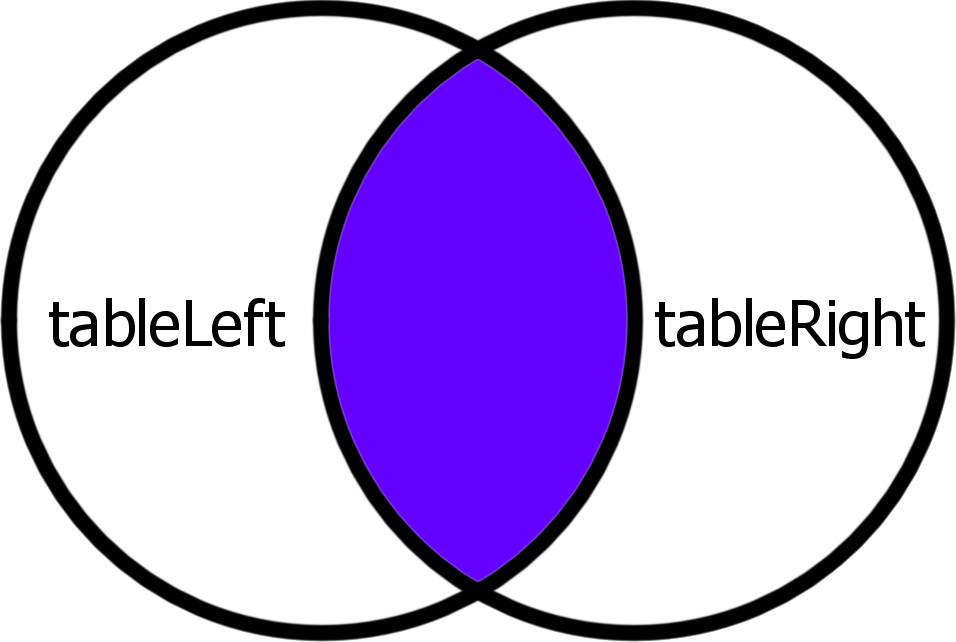
| tableLeft |
[L.field θ R.field] |
tableRight |
-> |
RESULT |
Joins tables and returns left table with rows from the right that match the condition.
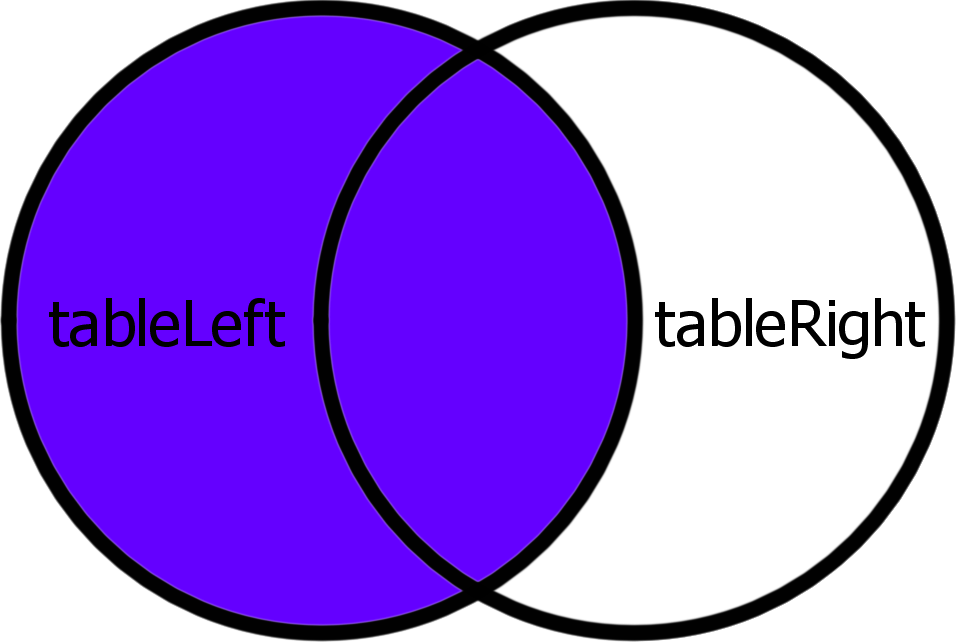
| tableLeft |
>[L.field θ R.field] |
tableRight |
-> |
RESULT |
Joins tables and returns right table with rows from the left that match the condition.
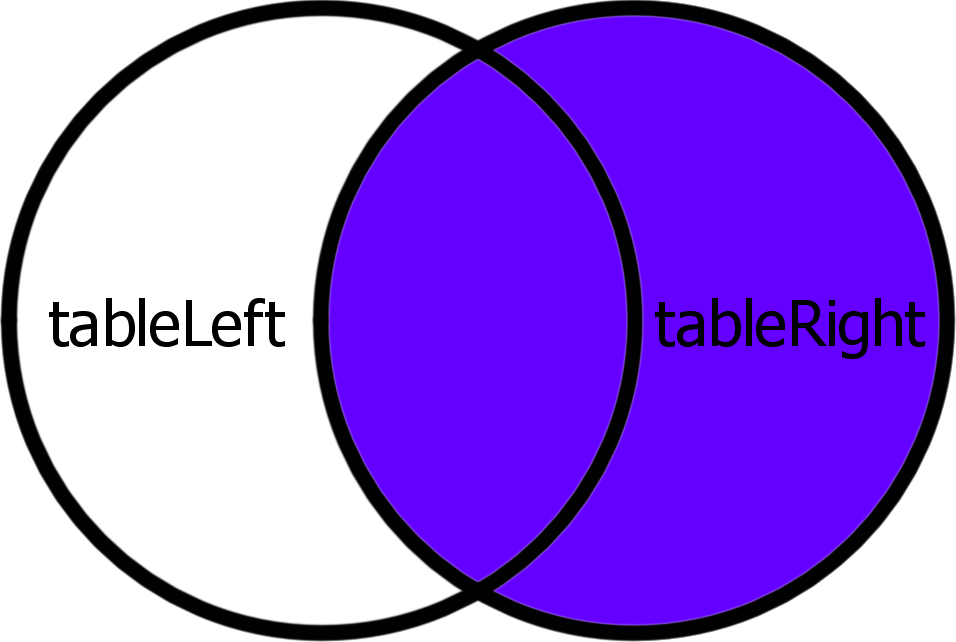
| tableLeft |
[L.field θ R.field]< |
tableRight |
-> |
RESULT |
Joins tables and returns all rows. Values of the rows that do not match will be set to NULL.
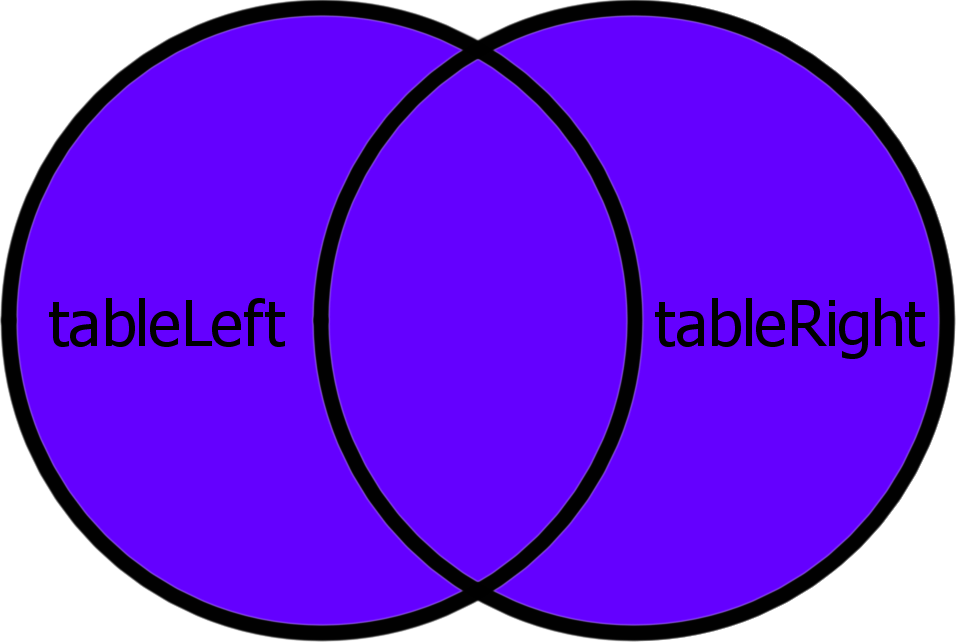
| tableLeft |
>[L.field θ R.field]< |
tableRight |
-> |
RESULT |
Equijoin differs from normal join by only using equality comparision as it's criteria.
As such, equijoins are specified by a list of column names, by which tables will be joined.
Every type of inner and outer joins have their respective equijoin versions.
| tableLeft |
[field0, field1] |
tableRight |
-> |
RESULT |
To join more then two tables, you need to join them consequently:
| tableFirst |
[L.field θ R.field] |
tableSecond |
[L.field θ R.field] |
tableThird |
... |
-> |
RESULT |
| tableLeft |
UNION |
tableRight |
-> |
RESULT |
| tableLeft |
| |
tableRight |
-> |
RESULT |
| tableLeft |
INTERSECTION |
tableRight |
-> |
RESULT |
| tableLeft |
& |
tableRight |
-> |
RESULT |
| tableLeft |
MINUS |
tableRight |
-> |
RESULT |
| tableLeft |
\ |
tableRight |
-> |
RESULT |
| tableLeft |
DIFFERENCE |
tableRight |
-> |
RESULT |
| tableLeft |
^ |
tableRight |
-> |
RESULT |
| [field1, field2] |
{value1, value2} |
-> |
table |
[θ] |
| [field1, field2] |
{value1, value2} |
-> |
table |
| table |
AND |
[field1, field2] |
{value1, value2} |
-> |
table |
| table |
AND |
[field1, field2] |
{ |
{value1, value2} |
{value1, value2} |
} |
-> |
table |
Note: Beware to not write table -> DELETE, as it removes the table itself.
From KoddQL's perspective, tables are a set of columns.
Columns consist of name, datatype and several or none constraints.
| Datatype |
Description |
| BOOLEAN |
Logical datatype with NULL value |
| BYTE |
1 byte signed number |
| SHORT |
2 byte signed number |
| INTEGER |
4 byte signed number |
| LONG |
8 byte signed number |
| SINGLE |
4 byte floating point number |
| DOUBLE |
8 byte floating point number |
| CHAR(letter size)[string length] |
String data |
| BLOB(letter size)[string length] |
Binary data |
| Constraint |
Description |
| NOT NULL |
Values of this column cannot be set to NULL. |
| UNIQUE |
Values of this column cannot repeat. |
| PRIMARY KEY |
Columns marked with this constraint are supposed to uniquely represent this table. |
| FOREIGN KEY |
This column is supposed to reference PRIMARY KEY from another table. |
| DEFAULT("VALUE") |
Value this column will have, if not assigned directly. |
| < |
name |
| |
datatype |
| |
(constraint,) |
> |
-> |
table |
| < |
name |
| |
datatype |
| |
(constraint,) |
> |
UNION |
< |
name |
| |
datatype |
| |
(constraint,) |
> |
-> |
table |
| < |
name |
| |
datatype |
| |
(constraint,) |
> |
UNION |
existingTable |
-> |
table |
| < |
name |
| |
datatype |
| |
(constraint,) |
> |
UNION |
table |
-> |
table |
| < |
name |
| |
datatype |
| |
(constraint,) |
> |
-> |
table |
[name] |
Note: Beware to not write table -> DELETE, as it removes the table itself.


