Horizontal menu tab - AlbertProfe/sculptures GitHub Wiki
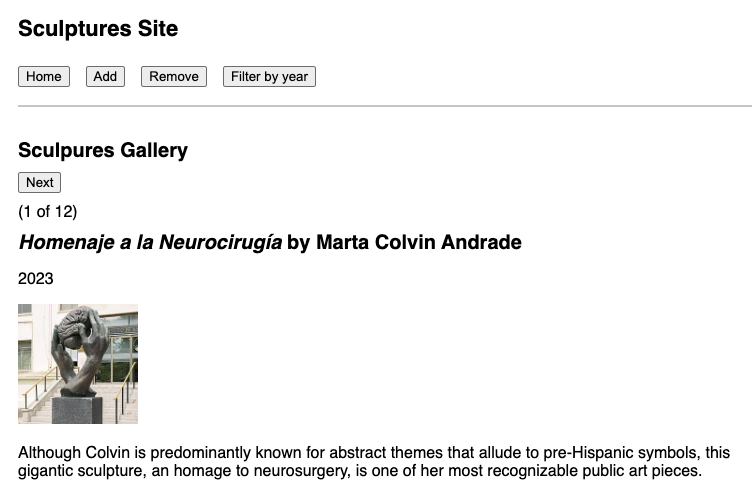
To display our **buttons menu as a horizontal menu tab, refactor the markup to use a containing element with a
flex layout. We are using inline styles for clear horizontal menu tabs
<div
  style={{
    display: "flex",
    gap: "1rem",
    borderBottom: "2px solid #ccc",
    paddingBottom: "0.5rem",
    marginBottom: "2rem",
  }}
>
  <button onClick={() => setCurrentPage("sculpture-page")}>Home</button>
  <button onClick={() => setCurrentPage("sculpture-add")}>Add</button>
  <button onClick={() => setCurrentPage("sculpture-remove")}>Remove</button>
  <button onClick={() => setCurrentPage("sculptures-filtered-by-year")}>Filter by year</button>
</div>- The parent
divis set todisplay: flex, which aligns all buttons in one horizontal row for a menu-style appearance. -
gap: "1rem"spaces the buttons for readability. - The bottom border and padding visually separate the menu from page content.
- This approach is CSS-only and works within our existing functional component style.