Style Guide - AdamCvijanovic/Herding-Ghosts-Unity GitHub Wiki
Technical
Unity Import Settings
- Pixels Per Unit = 32 (This needs to be the same for every asset to retain pixel size consistency)
- Filter mode = Point
- Compression = None
- Sprite Sheets: Set Sprite to Multiple instead of Single, slice at the resolution of each sprite * More on sprite sheets in Animation ie setting up a sprite sheet
Size Consistency
Rule of thumb: Use the Player Character sprite as a reference for size when working on everything.
- Player character - 64x64
- Customer sprites - 64x64
- Background tiles - 32x32
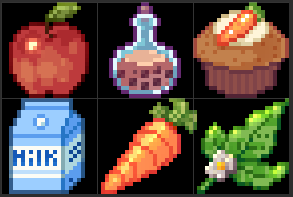
- Ingredient sprites - 24x24
- Crop sprites - 32x32
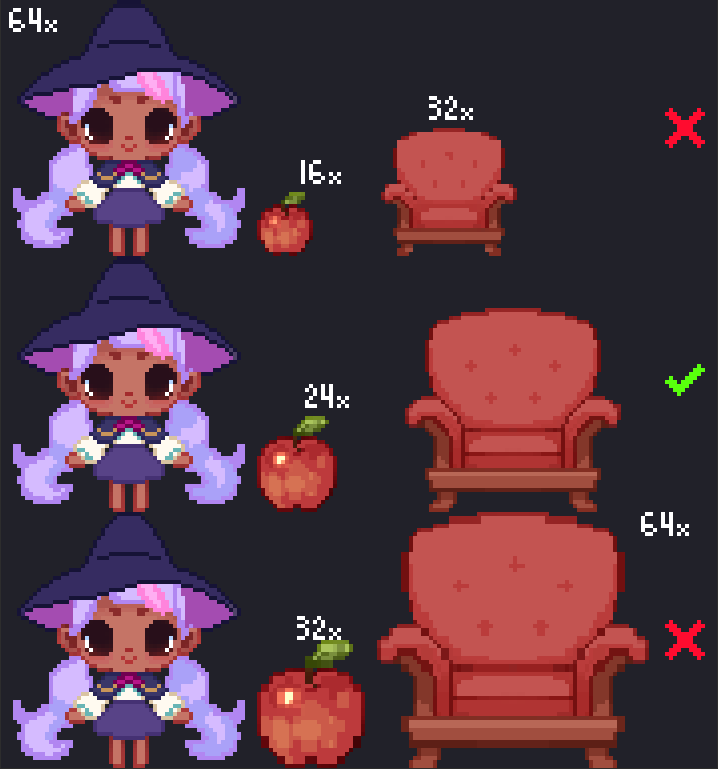
The apple is 24px which looks a little giant next to her still but it's the smallest we can get without reducing the level of detail.
Unity 2D URP Lighting
Overall Style
- Every sprite has some form of line art which is typically drawn first to discern readability
- Line art is never black, it is is usually a darker and hue-shifted variation on the fill colour
- Shading style is akin to Cell Shading, using typically a blue/purple hue shadow and sometimes gradients to make it a little spicy
- Blending modes such as overlay and colour dodge are used to add vibrancy, use with gradients/non pixel brushes to add a kind of soft glow to the lighting of the sprite
Colour Palette
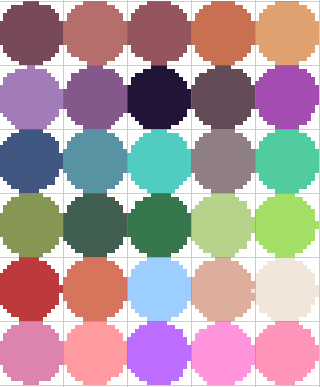
Here is a rough guide for the colours in the game These don't need to be perfect nor is there a restriction on using only these colours. However be mindful of which colours are saturated/desaturated, warm or cool hued when looking over the palette you're using. If you need a purple or brown colour pick from this and see how the rest of the colour palette looks with it. Overall the palette of each room should look soft and cohesive.
Inspiration / Vibes
Pinterest https://www.pinterest.com.au/lilywatson096/herding-ghosts/
The pinterest is updated frequently so if you're looking for references or inspiration there is likely already some pinned ^^
Keywords
- Cottagecore
- Rustic
- Ghibli
- Whimsical
- Wholesome
- Cute
- Spoopy
Characters
Player Character A cute young witch with a bright and bubbly personality. She is working in the kitchen or garden most of the time so she should be wearing some sort of apron.
Ghost Customer The customers will use the same base ghost sprite/animation with a few changes like facial expression or accessories (a scarf or hat maybe)
Ghost Cat Helper A cat that kneads dough and overall helps the player by mixing ingredients at the table workstation
Ghost Dog Helper A dog that carries items for the player
If we still do possession
Haunted Fridge
- Ghost trying to steal condiments from the fridge
Calcifer
- Ghost turning up the heat on the oven
Spring Cleaning
- Ghost rearranges things in room
Typical ghost stuff
- Takes a small sprite for an item and floats it around (a vase, teapot, tilts a picture frame, closing/opening door etc.)
Equipment
- Broom
-
- To shoo ghosts, clean up mess
- Salt Shaker
-
- Temporary barrier
UI Art
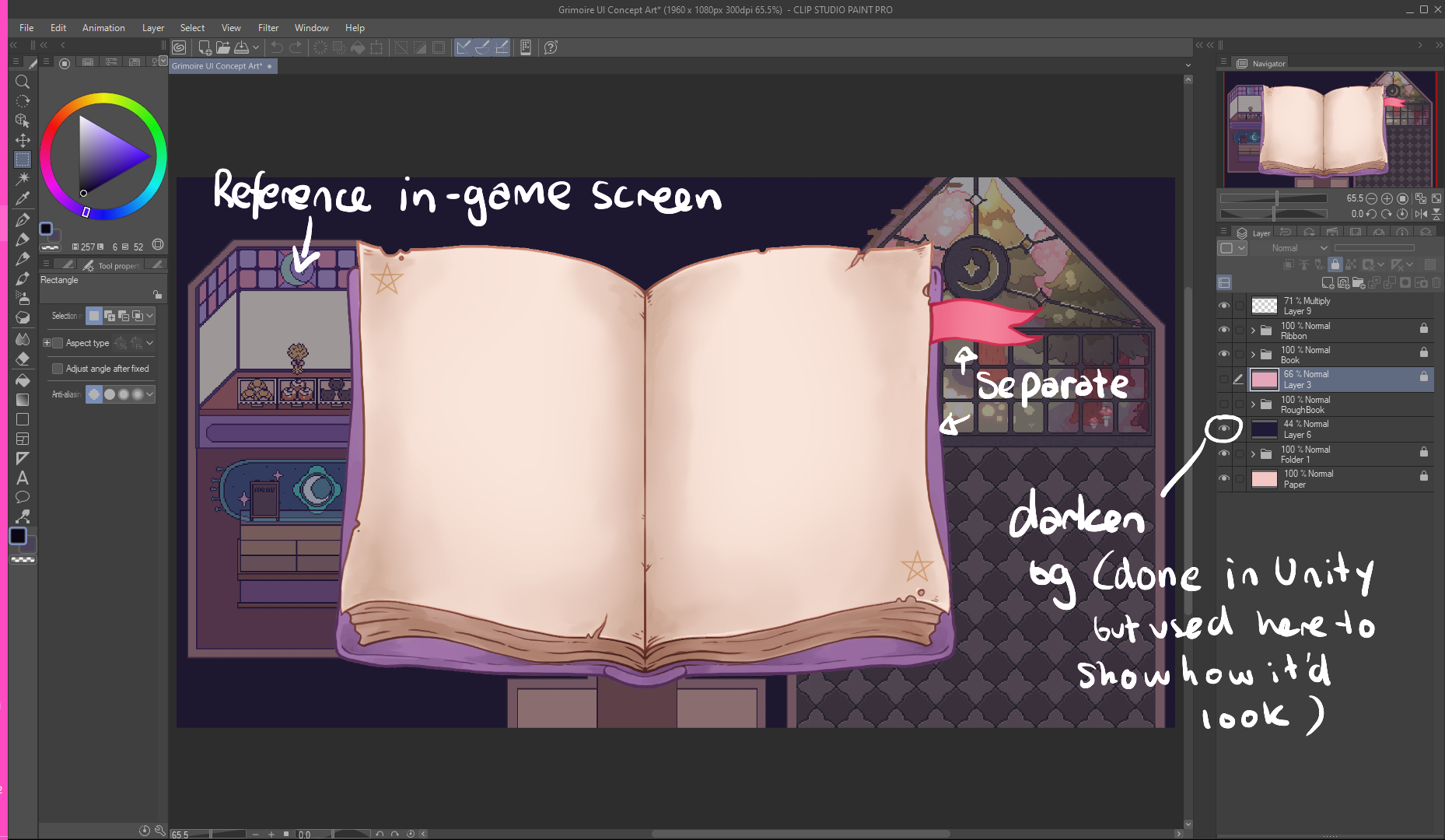
UI Art assets will be a more hand drawn high resolution raster images unlike the small pixel art assets for the rest of the game. The purpose of this is to make the UI stand out.
How To
- Canvas: 16:9 aspect ratio and 2K resolution should be enough (2560x1440px).
- Take a screenshot of the game and scale it up to be approximately the size of the game view, this will be there for a scale and colour palette reference.
UI Art Style
Line art & Painterly style
Step by Step
- Sketch
- Line art (line width: medium/thick, try to match with the Grimoire)
- Fill colour
- Change line art colour to a darker and more vibrant version of the fill colour with gradients in accordance with lighting
- Add some shading with a thick paint brush with medium/high opacity, high blend and only somewhat darker/more vibrant than the fill colour so it blends nicely.