Logging for GET requests - ActoKids/api GitHub Wiki
For AWS API setup see this link.
NOTE: To be able to see CloudWatch Logs if you don't have CloudWatch permissions
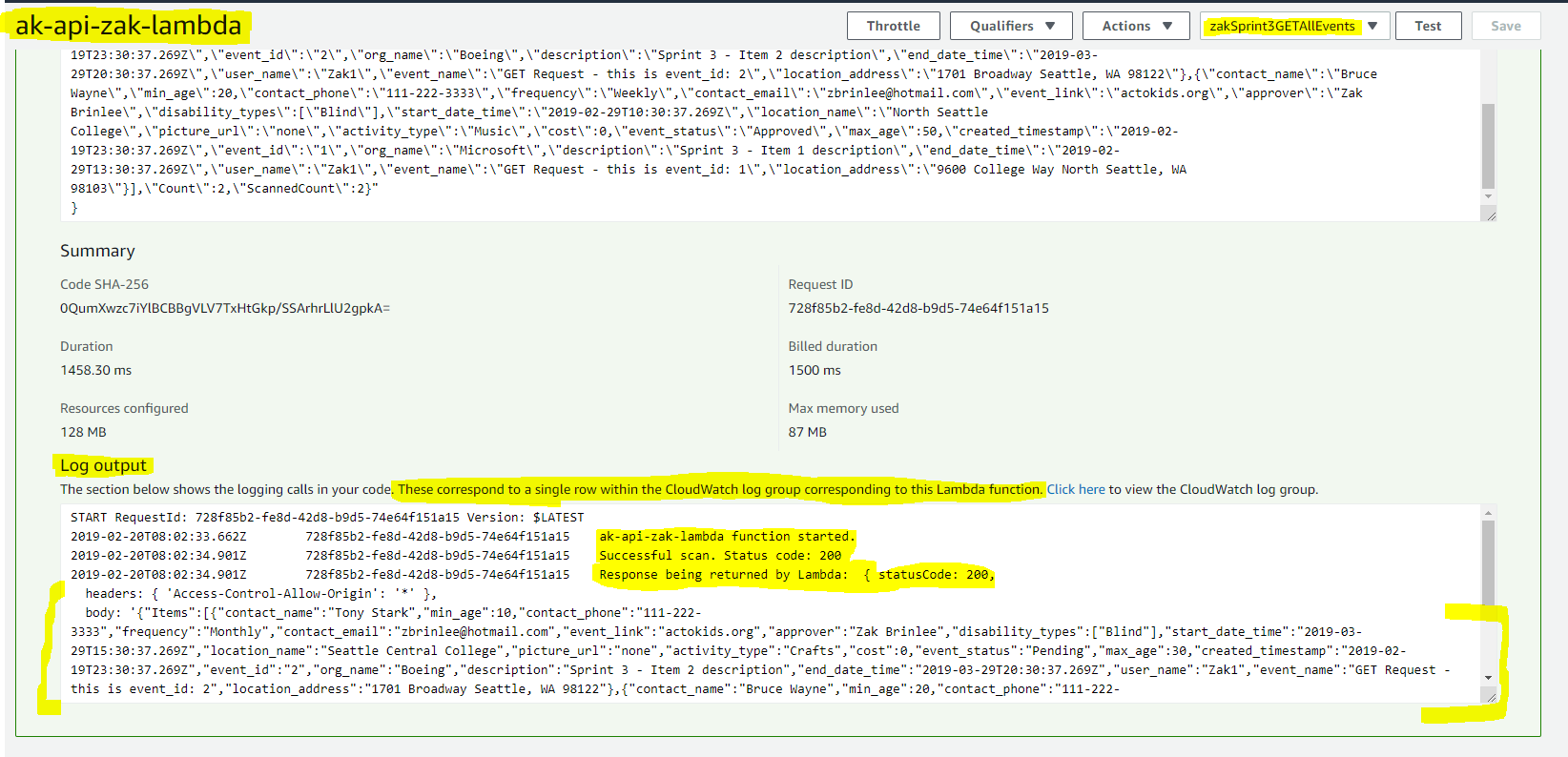
- Go to Lambda Management Console in the AD 440 AWS account
- Select ak-api-zak-lambda Function from the list
- Top right corner - make sure zakSprint3GETAllEvents test is selected
- Run the test - Expand Execution Result pane
- Review CloudWatch code logs from the Log Output section at the bottom.
GET all events (school AWS account):
curl -v https://91i4hx5677.execute-api.us-east-2.amazonaws.com/Sprint3/v1/events
Success logs:
GET event by id (personal AWS account):
curl -v https://8cex032b53.execute-api.us-west-2.amazonaws.com/sprint2_test/v1/events/1
Success logs:
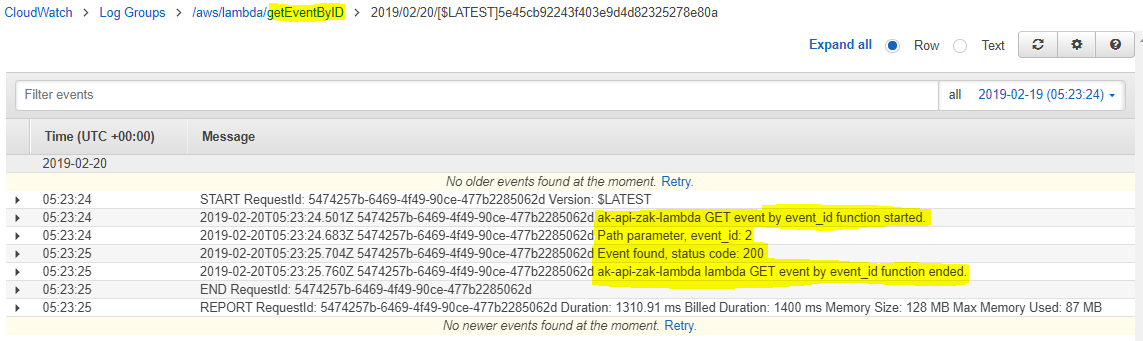 Log relevant information to CloudWatch for GET functions.
- log start and end of lambda function
- log event_id parameter for GET event by id call
- log in try catch for error, success and event not found
- console.error() for errors
- console.log() for non-errors
Branch Code for Lamda functions: link