Deployment Error - Abhishek-AC/QBot GitHub Wiki
App Template - Deployment issue - Step 5 of Deployment Guide
- 12 out of the 14 resources deployed but 2 failed
- Open GitHub Issue with the same problem
Screenshot of the Deployment Overview
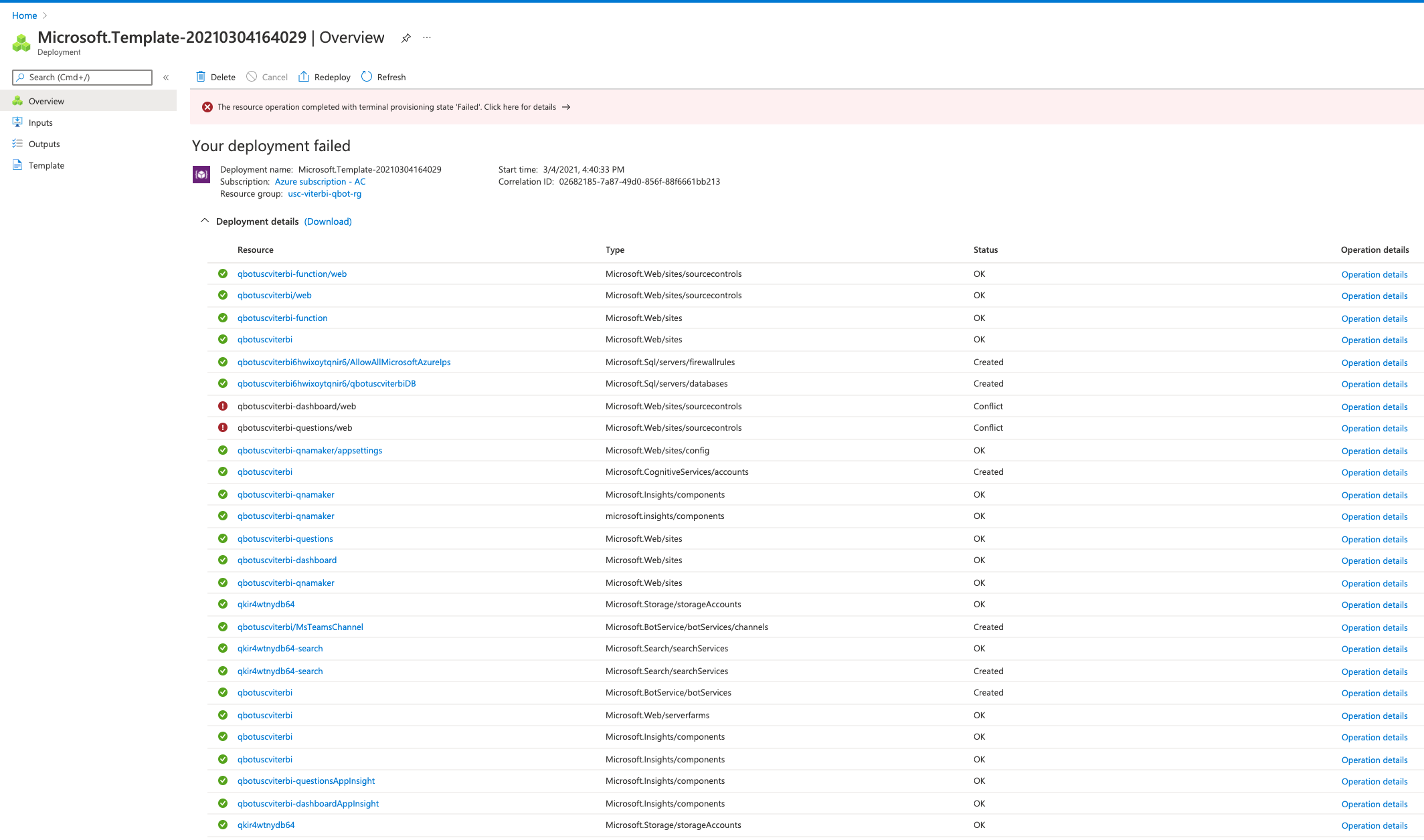
Status message for resource Dashboard(qbotuscviterbi-dashboard/web) and Questions(qbotuscviterbi-questions/web)
{
    "status": "Failed",
    "error": {
        "code": "ResourceDeploymentFailure",
        "message": "The resource operation completed with terminal provisioning state 'Failed'."
    }
}
Raw error for deployment failure
{
  "code": "DeploymentFailed",
  "message": "At least one resource deployment operation failed. Please list deployment operations for details. Please see https://aka.ms/DeployOperations for usage details.",
  "details": [
    {
      "code": "Conflict",
      "message": "{\r\n  \"status\": \"Failed\",\r\n  \"error\": {\r\n    \"code\": \"ResourceDeploymentFailure\",\r\n    \"message\": \"The resource operation completed with terminal provisioning state 'Failed'.\"\r\n  }\r\n}"
    },
    {
      "code": "Conflict",
      "message": "{\r\n  \"status\": \"Failed\",\r\n  \"error\": {\r\n    \"code\": \"ResourceDeploymentFailure\",\r\n    \"message\": \"The resource operation completed with terminal provisioning state 'Failed'.\"\r\n  }\r\n}"
    }
  ]
}
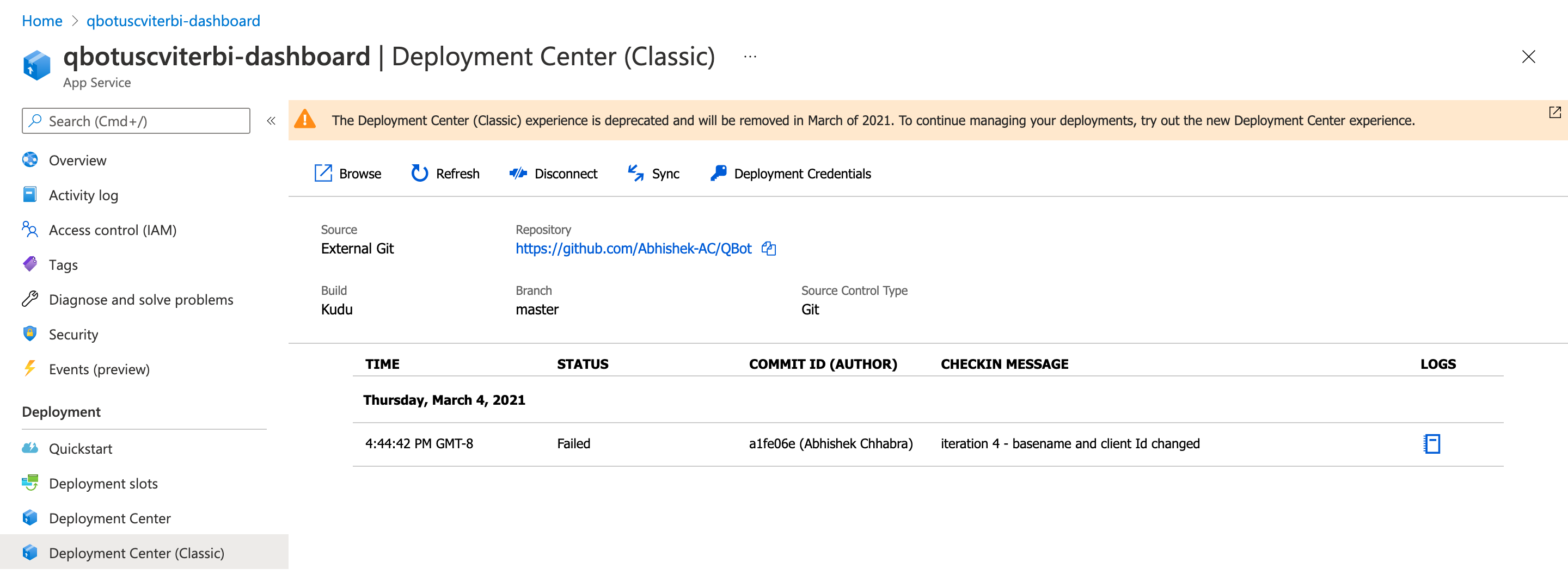
Screenshot - Dashboard - Deployment Center
Screenshot - Question - Deployment Center
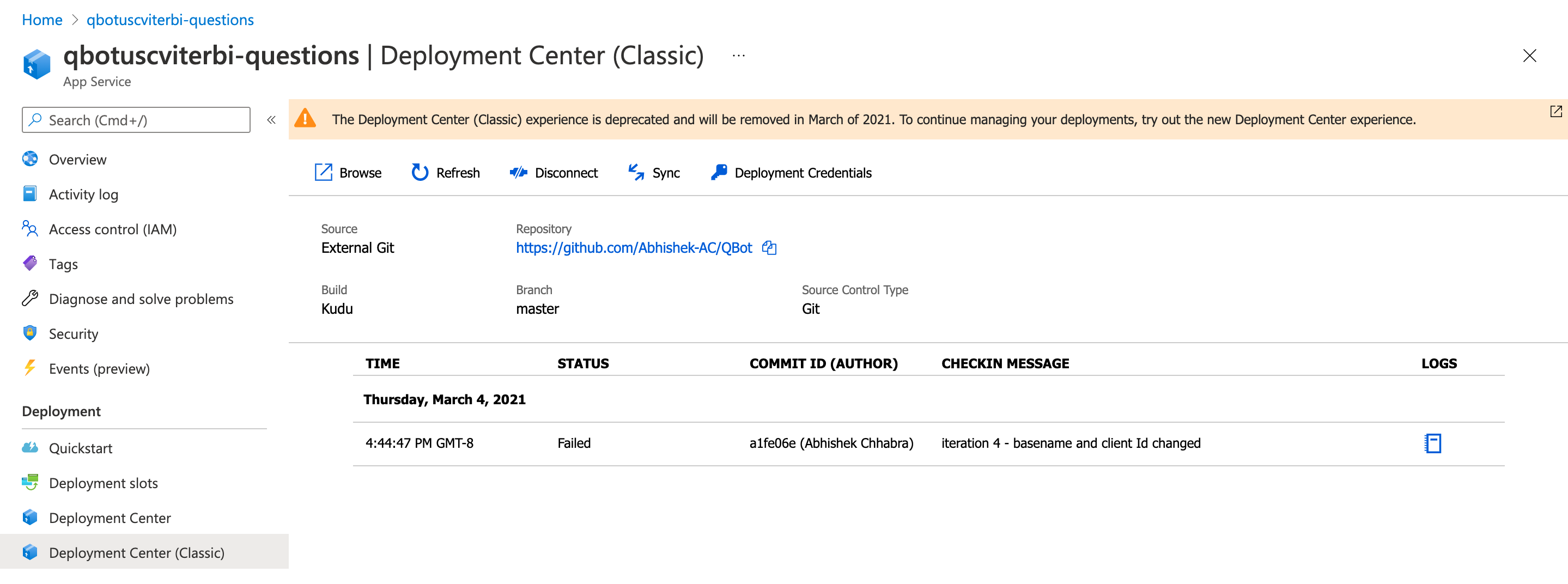
Possible Errors found from the error logs captured at Deployment Center
In dashboard and question logs
C:\home\site\repository\Source\Microsoft.Teams.Apps.QBot.Data\Microsoft.Teams.Apps.QBot.Data.csproj : error MSB4057: The target "pipelinePreDeployCopyAllFilesToOneFolder" does not exist in the project.
Failed exitCode=1, command="C:\Program Files (x86)\MSBuild-15.9.21.664\MSBuild\MSBuild\15.0\Bin\MSBuild.exe" "C:\home\site\repository\Source\Microsoft.Teams.Apps.QBot.Data\Microsoft.Teams.Apps.QBot.Data.csproj" /verbosity:m /t:Build /t:pipelinePreDeployCopyAllFilesToOneFolder /p:_PackageTempDir="C:\local\Temp\deployconfig";Configuration=Release;UseSharedCompilation=false /p:SolutionDir="C:\home\site\repository\Source\\"
done building Data project
In dashboard logs
npm ERR! path C:\home\site\repository\Source\DashboardTabApp\node_modules\.staging\typescript-f8b1a28e\lib\tsc.js
  npm ERR! code EPERM
  npm ERR! errno -4048
  npm ERR! syscall unlink
EXEC : npm ERR! error : EPERM: operation not permitted, unlink 'C:\home\site\repository\Source\DashboardTabApp\node_modules\.staging\typescript-f8b1a28e\lib\tsc.js' [C:\home\site\repository\Source\DashboardTabApp\DashboardTabApp.csproj]
  npm ERR!  { [Error: EPERM: operation not permitted, unlink 'C:\home\site\repository\Source\DashboardTabApp\node_modules\.staging\typescript-f8b1a28e\lib\tsc.js']
  npm ERR!   cause:
EXEC : npm ERR!    { error : EPERM: operation not permitted, unlink 'C:\home\site\repository\Source\DashboardTabApp\node_modules\.staging\typescript-f8b1a28e\lib\tsc.js' [C:\home\site\repository\Source\DashboardTabApp\DashboardTabApp.csproj]
  npm ERR!      errno: -4048,
  npm ERR!      code: 'EPERM',
  npm ERR!      syscall: 'unlink',
  npm ERR!      path:
  npm ERR!       'C:\\home\\site\\repository\\Source\\DashboardTabApp\\node_modules\\.staging\\typescript-f8b1a28e\\lib\\tsc.js' },
  npm ERR!   stack:
  npm ERR!    'Error: EPERM: operation not permitted, unlink \'C:\\home\\site\\repository\\Source\\DashboardTabApp\\node_modules\\.staging\\typescript-f8b1a28e\\lib\\tsc.js\'',
  npm ERR!   errno: -4048,
  npm ERR!   code: 'EPERM',
  npm ERR!   syscall: 'unlink',
  npm ERR!   path:
  npm ERR!    'C:\\home\\site\\repository\\Source\\DashboardTabApp\\node_modules\\.staging\\typescript-f8b1a28e\\lib\\tsc.js',
  npm ERR!   parent: 'dashboard-tab-app' }
  npm ERR!
  npm ERR! The operation was rejected by your operating system.
  npm ERR! It's possible that the file was already in use (by a text editor or antivirus),
  npm ERR! or that you lack permissions to access it.
  npm ERR!
  npm ERR! If you believe this might be a permissions issue, please double-check the
  npm ERR! permissions of the file and its containing directories, or try running
  npm ERR! the command again as root/Administrator (though this is not recommended).
Steps taken to fix the issue
- Verified the
[Base Resource Name]chosen is available by opening the URLs and check for NO CONFLICT - as mentioned in Step 2 of the deployment guide. Tried with 4 different base resource names. - To verify that the template is successfully deployed tried to create the 14 resources without putting the link to the GitHub repository. This does create the 14 resources but restricts the deployment progress at Step 8 as there is no web.config file generated and connection strings cannot be edited.