Game Design Document - Abhiek187/SushiNeko GitHub Wiki
Welcome to the SushiNeko wiki!
Table of Contents
Game Design
Objective
You are a cat who loves to chop sushi! Your goal is to chop down as many pieces of sushi as possible. Avoid the chopsticks, or it's game over!
Gameplay Mechanics
The game starts as soon as the player hits the start button. The game keeps going until the player loses, in which their high score will later be recorded.
Level Design
One point is added for every sushi that is chopped off the tower. In addition to avoiding chopsticks, the player has a life bar to worry about. It decreases over time and the player will only recover a small portion of it for each point.
Technical
Scenes
- Scene 1 - Main Menu (after MVP): A mat is laid over the gameplay scene with the game's title. The play button is visible at the bottom, and will serve to play and pause the main game.
- Scene 2 - Gameplay
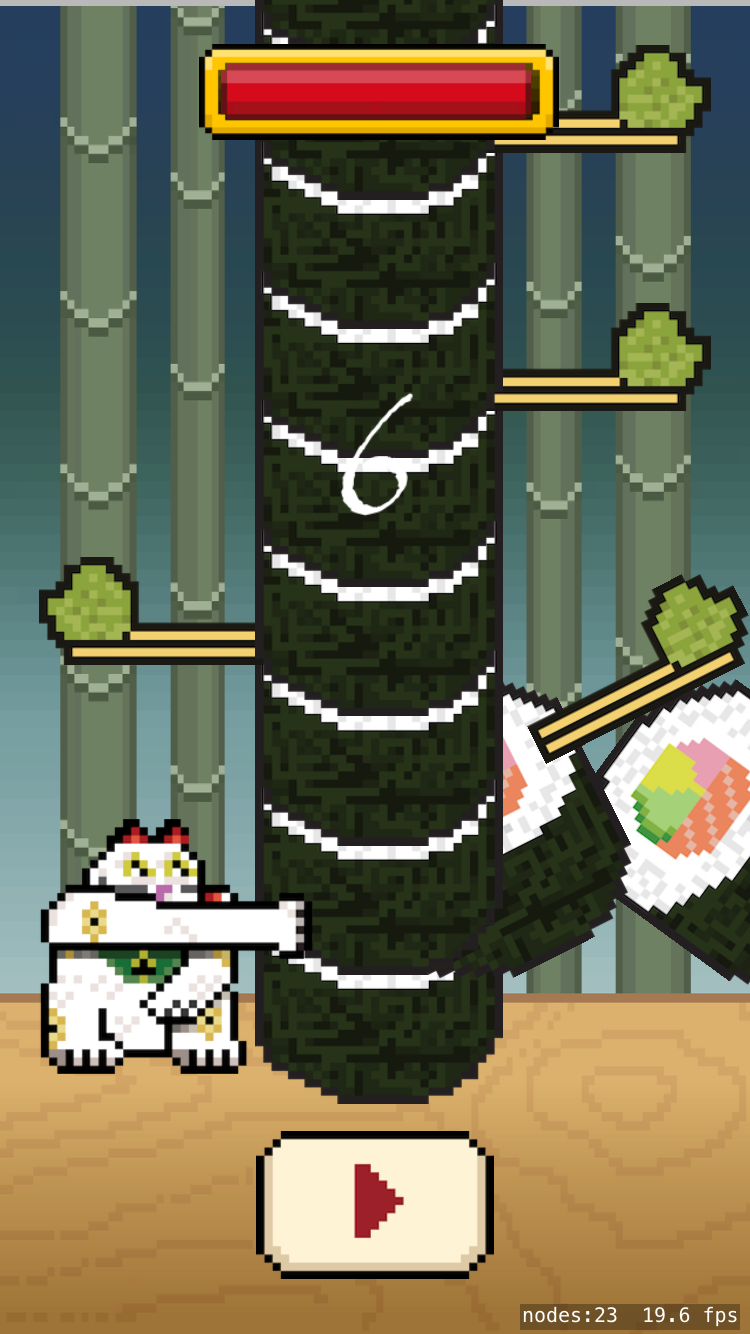 As the game is stylized after Japan, sushi, bamboos, chopsticks, and the lucky cat all blend into the scene here. The life bar is shown at the top with the score in the middle. The player's high score is displayed after he/she loses.
Controls/Input
Players move the cat by touching the left and right side of the screen. It will automatically chop when tapping on the screen.
Classes/SKS
- Classes
- AppDelegate - controls what the player sees on screen and can interact with
- Character - controls actions and animations of the cat character
- GameScene - controls the logic of the gameplay
- SushiPiece - controls actions and animations of the sushi pieces
- GameViewController - controls how the game is loaded on screen
- MSButtonNode - provides resources to include buttons in game scenes
- SKS
- AnimatedActions.sks - provides animations for the cat chopping and flipping between both sides
- GameScene.sks - holds the title screen and gameplay scene
- Actions.sks - unused
MVP Milestones
- Cloned Timberman gameplay screen
- (After MVP) Created title screen and implemented high score feature
Week 1
planning your game
- [goals for the week]
Week 2
finishing a playable build
- [goals for the week, should be finishing a playable game]
Week 3
- [goals for the week]
Week 4
- [goals for the week, should be finishing all core gameplay]
Week 5
starting the polish
- [goals for the week]
Week 6
submitting to the App Store
- [goals for the week, should be finishing the polish -- demo day on Saturday!]