Snapshots - ATAC-Helicopter/VaultSync GitHub Wiki
Snapshots
Snapshots capture the state of a project at a point in time. They can be created manually or as part of backups.
Manual snapshots
- Use the Snapshot action in the Projects page.
- You can target a single project or all projects.
Snapshots in the Projects page
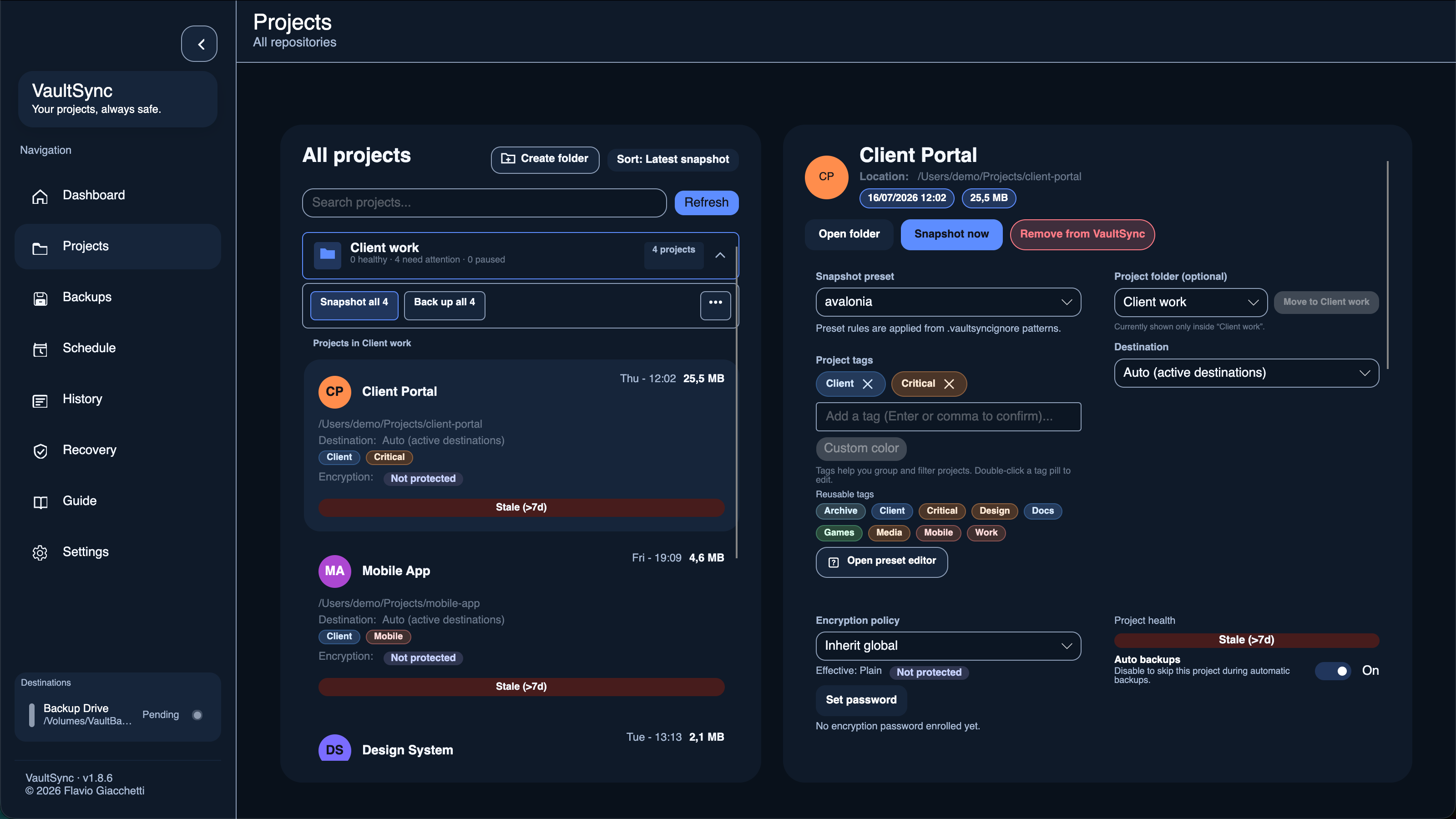
- "Last snapshot" shows when the latest snapshot was taken.
- Health pills summarize recent activity and snapshot freshness.
- Trend labels show only when the day changes to reduce clutter.
History
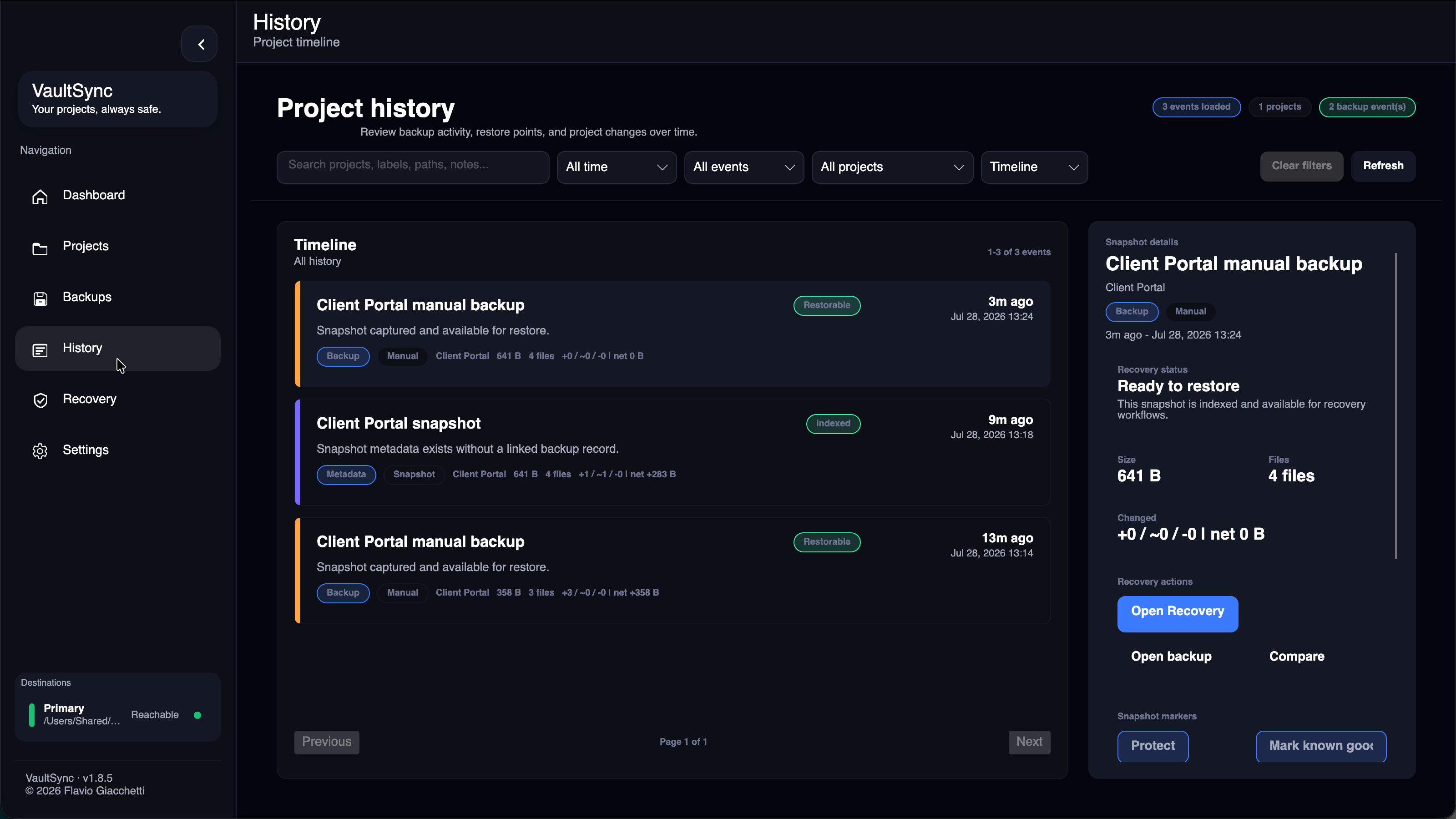
- History combines backup and snapshot activity across projects.
- Add labels, notes, and tags to make important points easier to find.
- Protect a restore point to keep it out of automatic retention cleanup.
- A protected point can also be marked as a known-good baseline for recovery work.
Snapshot Explorer
- Open a reachable folder or ZIP backup from Backups to browse its contents.
- Supported text files can be previewed without restoring the entire backup.
- Encrypted, offline, binary, and unsupported content uses safe explanatory states.
Snapshot Compare
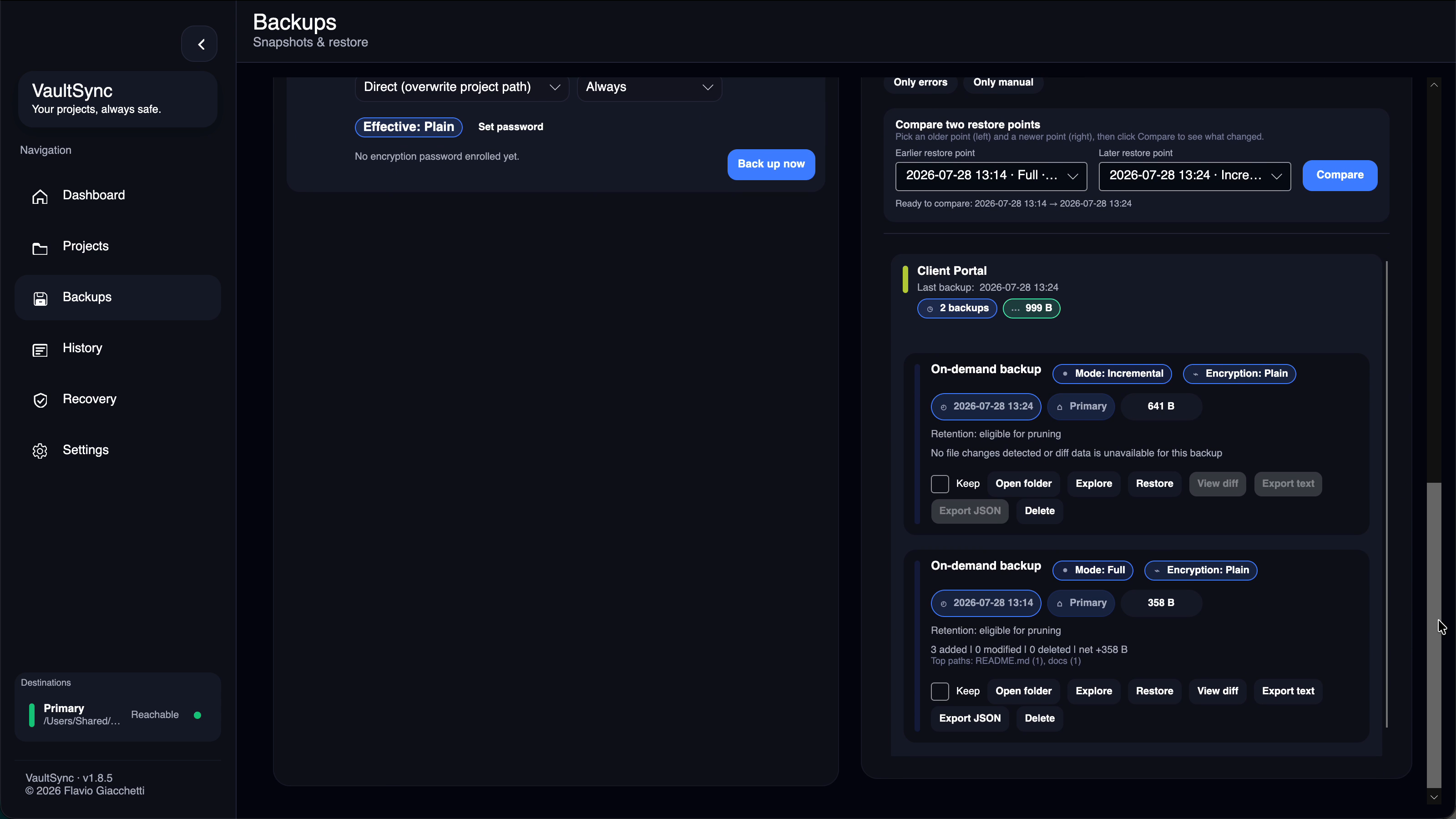
- Select two restore points from the same project to compare them.
- VaultSync reports added, modified, deleted, and unchanged files plus changed-path hotspots.
- Search or filter the changed-file tree, then inspect supported text changes line by line.
- Long unchanged regions collapse into compact change groups. Line-ending-only changes are ignored.
- Comparisons are bounded; capped or unavailable content is identified rather than presented as a complete result.
Retention and cleanup
- Snapshots are tied to backups and can be cleaned up in the Backups page.
- Orphaned snapshots are removed when no backups reference them.
- Automatic cleanup preserves protected points and the newest point with a passing byte-level recovery proof.