Destinations - ATAC-Helicopter/VaultSync GitHub Wiki
Destinations
VaultSync supports two modes:
- Simple mode: a single backup root path.
- Advanced mode: multiple destinations with per-destination settings.
Simple mode
- Set the backup root in Settings > Backups.
- All backups are written under this path.
- Use this for a single disk or external drive.
Advanced mode
- Enable advanced destinations in Settings > Backups.
- Add one or more destinations with aliases.
- Destinations can be enabled or disabled without removing them.
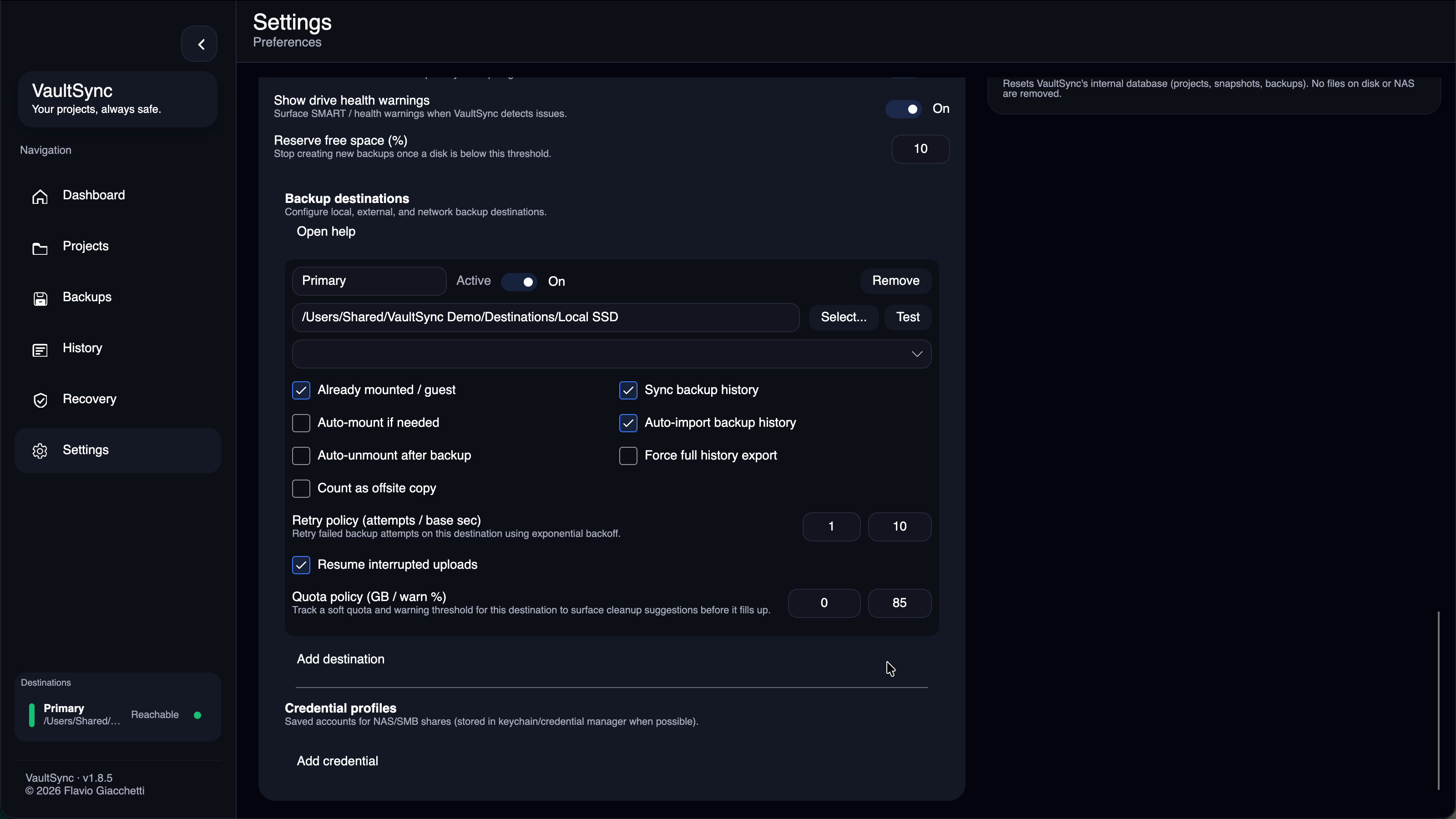
Destination fields (advanced mode)
- Alias: short label shown in the UI and tray menu.
- Path: the destination folder.
- Active: if off, the destination is ignored for backups.
- Credentials: used for network shares.
- Pre-mounted: enable if the path is already mounted.
- Auto-mount/unmount: allow VaultSync to mount and clean up network paths.
- Sync history: enables portable metadata sync for this destination.
- Count as offsite copy: gives the destination offsite credit in Recovery when it is reachable.
VaultSync never infers physical location from a path, hostname, protocol, or mount name. Mark a destination as offsite only when you know its storage is held at a different physical location.
macOS NFS
- NFS auto-mount is not supported on macOS (requires admin privileges).
- Pre-mount the share with
sudo mount_nfs, then set the destination to the local mount path and enable Pre-mounted with Auto-mount disabled.
Health checks
- The tray menu shows storage health and destination reachability.
- Use
Recheck nowto refresh the status. - The app shows compact destination status cards in the sidebar and Backups page.
- Destination quota suggestions surface in Backups when soft quota settings are configured.
- If capacity cannot be read, Dashboard and Backups explain whether the destination is unreachable, unconfigured, or size-unknown instead of showing only a generic risk state.
Tips
- Keep at least 10 percent free space on the target drive.
- Use a dedicated disk for large projects.
- Use clear aliases so the tray and logs are easy to read.
- Keep at least one tested copy physically offsite and confirm it explicitly for accurate 3-2-1 guidance.
History metadata
- VaultSync stores portable history in
.vaultsync/meta/at the destination root. - If the destination is read-only, history can be imported but not written back.
- Project roots can also be treated as history sources when backups and metadata are present.
- Conflicting imported destination-related settings are reviewed through Settings > Advanced > Doctor rather than silently overwriting local configuration.