Configuration - ATAC-Helicopter/VaultSync GitHub Wiki
Configuration
This page explains how to choose a configuration. For the exhaustive control-by-control list, see Settings reference.
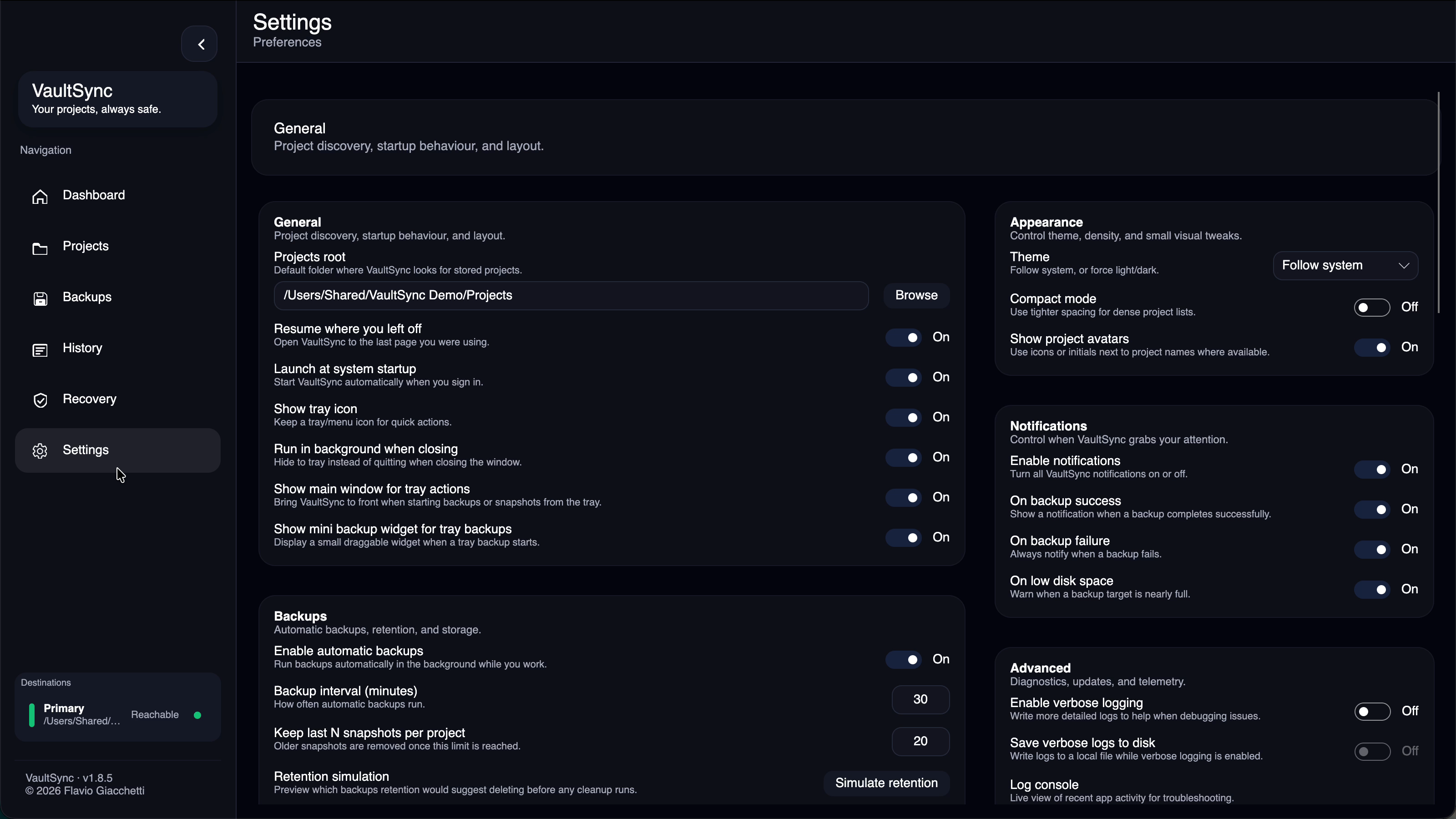
Appearance
- Theme: Light, Dark, Follow system, or Custom.
- Custom themes: apply one of the visual presets, then optionally adjust the base, palette slots, or component values.
- Aurora Glass and Porcelain Glass request operating-system acrylic or blur when available and fall back to VaultSync's own tint, reflection, and opaque-surface materials when it is unavailable or disabled.
- Glass is intentionally concentrated in navigation, toolbars, and floating controls; content cards stay more opaque so text, charts, and status colors remain readable.
- The theme studio can be collapsed from its header without changing the active theme.
- Compact layout: reduces padding for dense views.
Backups
- Backup root (simple mode): single destination path.
- Advanced destinations: multiple targets with per-destination options.
- Scheduled backups: automatic schedule and trigger-based runs.
- Sync backup history across devices: enables portable metadata in
.vaultsync/meta/. - Auto-import history on discovery: merge destination history into the local DB.
- Prompt to restore after import: ask to restore the latest backup before new snapshots or backups.
- Force full history export (per destination): backfill a project's entire history into the metadata store on the next backup.
- Count as offsite copy (per destination): gives that reachable destination offsite credit in the 3-2-1 advisor; VaultSync never infers physical location.
- Retention simulation: preview what would be kept or deleted before changing cleanup settings.
- Maintenance window jobs: optional once-per-day background jobs for consistency scan, repair dry-run, and metadata refresh.
- Backup history labels in the app:
- Full
- Incremental
- Imported
Notifications
- Enable or disable notifications.
- Show only when inactive.
- Use OS notifications (Windows toast, macOS Notification Center).
Tray
- Show tray icon.
- Show tray backup widget when starting backups from the tray.
- Open window on tray actions.
Updates
- Update channel: Stable or Beta.
- Check interval and manual checks.
- Patch diagnostics: latest release-target and patch-preflight outcome are visible in Settings > Advanced.
- Patch manifests can allow multiple exact tested base versions; all other installs must use the installer.
Advanced and privacy
- Crash report assistance: allows VaultSync to create a strictly allowlisted local report after a crash.
- Reports are shown in full before VaultSync prepares an email draft, and nothing is sent automatically.
- Disable the setting to prevent report creation and email preparation completely.
- Recovery evidence packages and proof evidence remain local unless you explicitly share an exported ZIP. Packages redact unrestricted local paths and exclude backup payloads, credentials, and encryption secrets.