Screen Sharing During a Video Conference - AK-NSF-EPSCoR/Vis-Space GitHub Wiki
How to Share your screen content during a video conference:
Google Meet
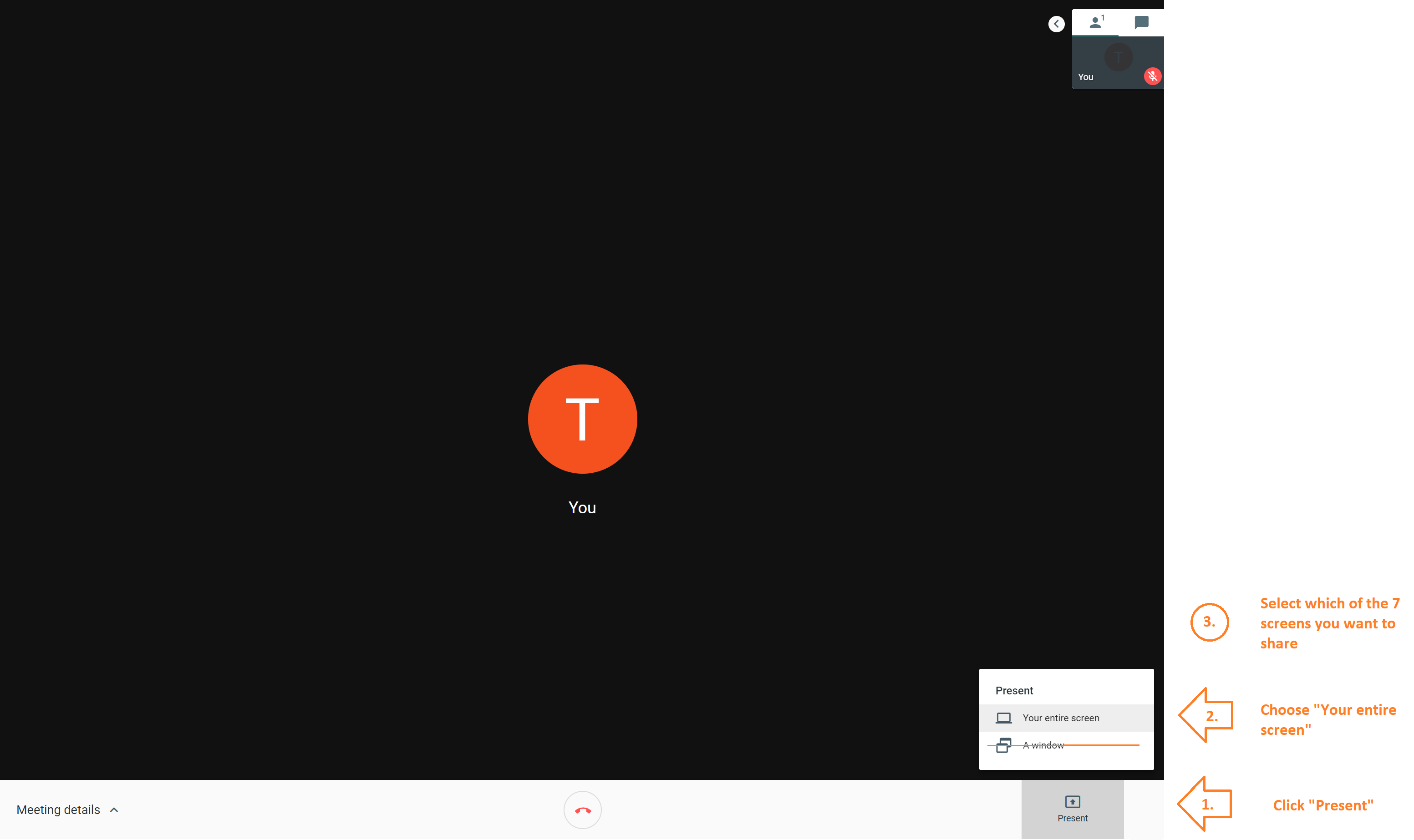
With google Meet, click "Present" then "Your entire screen"
Then choose which of the 7 screens you would like to share
This will update your presentation or screen content as you advance the slides/update the content
When you only share "A window" for some reason that doesn't update the content as it changes. Please avoid this option
Visual Guide:
This option is only suitable for sharing the content of one screen at a time.
If you would like the remote participant to see more than one screen, do not use screen sharing, but "Camera Controls" on the touch panel to point the Rear Camera at the screens of your choice.