Hardware design overview - 2284238y/Team-1-Fernando-Martinez-YI-YI-LianSheng-Liu- GitHub Wiki
Components
- OPT3001DNPT
- Photo resistor
- Motor: 719RE380 Motor Controller: L293D
- Raspberry pi
- Resistor
- Power Source
- Battery: Adafruit Micro Lipo
- Wires
- Elegoo uno R3
- APDS-9960
Battery: Adafruit Micro Lipo
This little lipo charger is so small and easy to use, Simply plug it via any MicroUSB cable into a USB port and a 3.7V/4.2V lithium polymer or lithium ion rechargeable battery into the JST plug on the other end. There are two LEDs - one red and one green. While charging, the red LED is lit. When the battery is fully charged and ready for use, the green LED turns on.
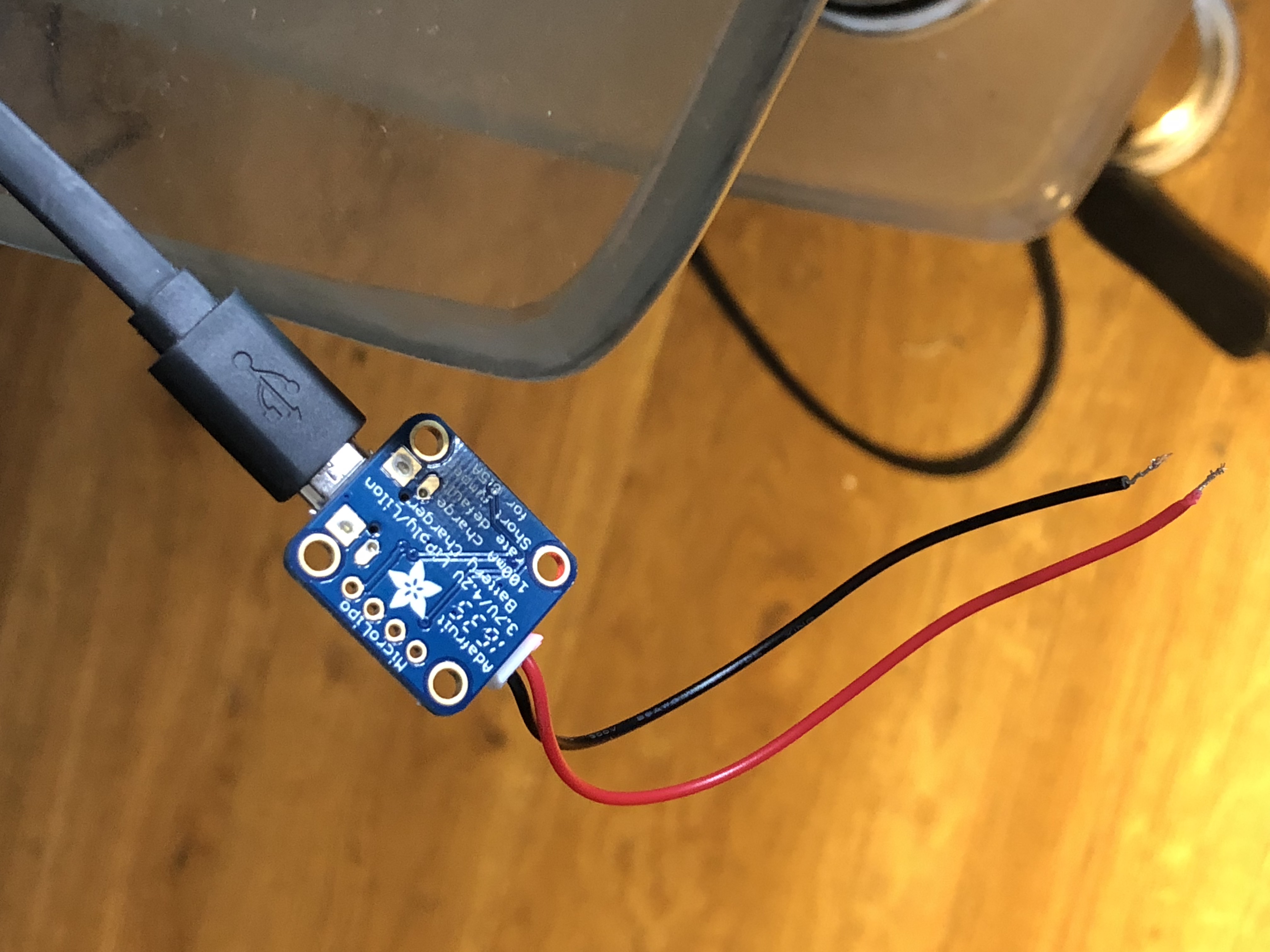
| Brand Name | Adafruit |
|---|---|
| Item model number | 1904 |
| Item Weight | 0.32 ounces |
| Product Dimensions | 4.7 x 2.8 x 0.2 inches |
| Item Dimensions L x W x H | 4.72 x 2.76 x 0.2 inches |
Elegoo uno R3
| Brand Name | Elegoo |
|---|---|
| EAN | 0746591610715 , 0753070352042 |
| Item Weight | 0.96 ounces |
| Model Number | EL-CB-001 |
| Number of Items | 1 |
| Part Number | EL-CB-001 |
| UPC | 753070352042 , 746591610715 |
Servo motor
Tiny and lightweight with high output power. Servo can rotate approximately 180 degrees (90 in each direction), and works just like the standard kinds but smaller. these servos can be controled by using any servo code, hardware or library to control. And it also has a large output torque characteristics.
| Modulation: | Analog |
|---|---|
| Torque: | 4.8V: 25.00 oz-in (1.80 kg-cm) |
| Speed: | 4.8V: 0.12 sec/60° |
| Weight: | 0.32 oz (9.0 g) |
| Dimensions: | Length:0.91 in (23.0 mm); Width:0.48 in (12.2 mm); Height:1.14 in (29.0 mm) |
| Motor Type: | 3-pole |
| Gear Type: | Plastic |
| Rotation/Support: | Bushing |
| Pulse Width: | 500-2400 µs |
| Connector Type: | JR |
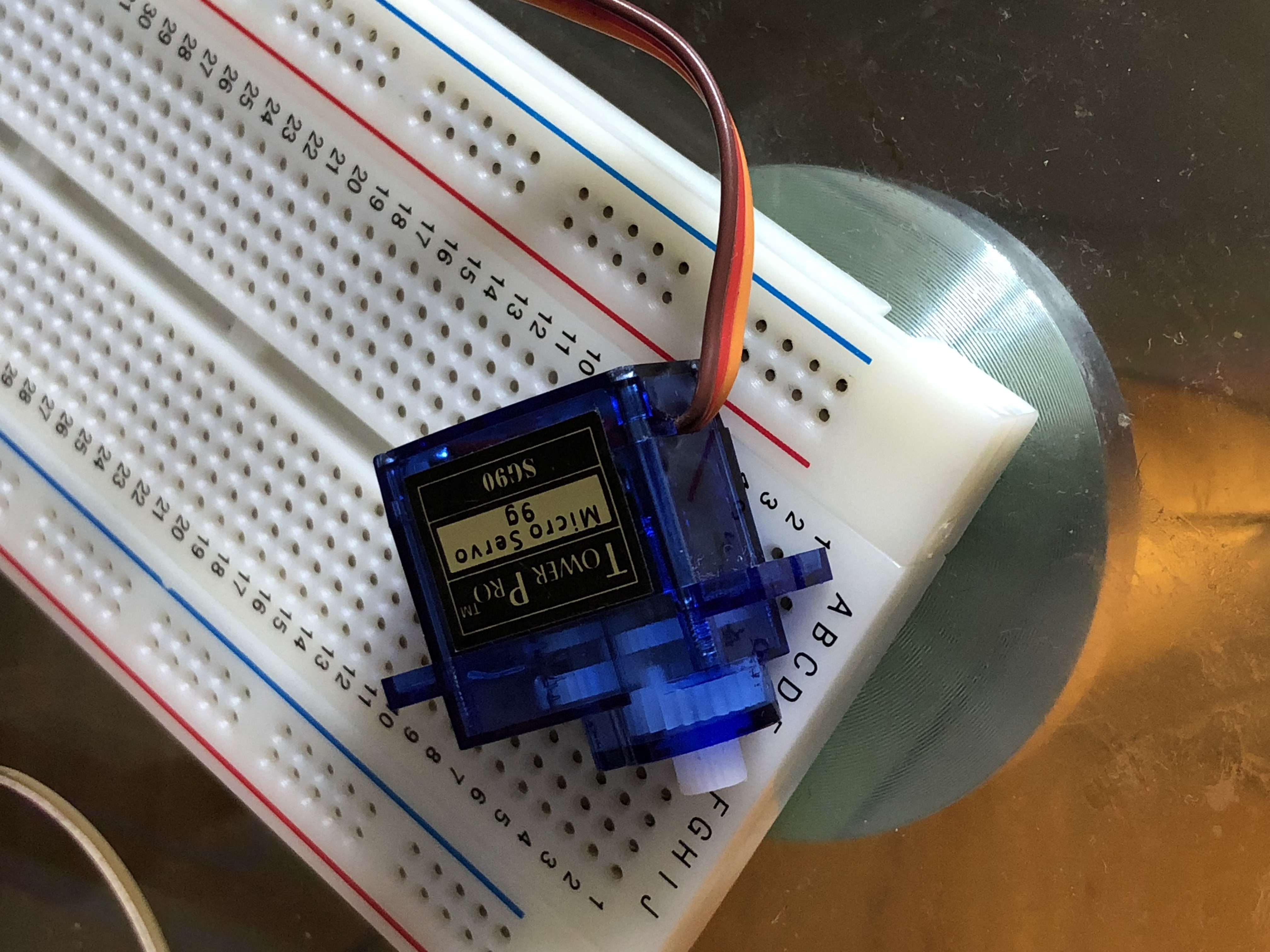
Motor Control
In this real-time project, Raspberry Pi pin 1 is used to control the motor, motor is driven by elego uno R3, the pinout of elegoo uno R3 is as follows:
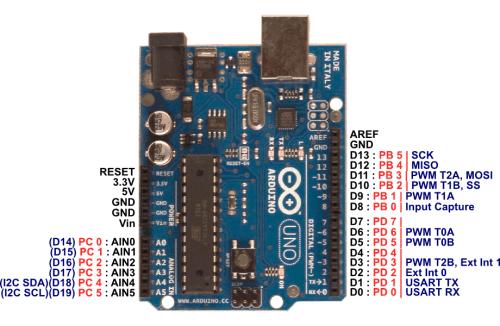
The 5V pin and GND pin is used to drive the motor.In the picture below, the red and brown lines are connected:
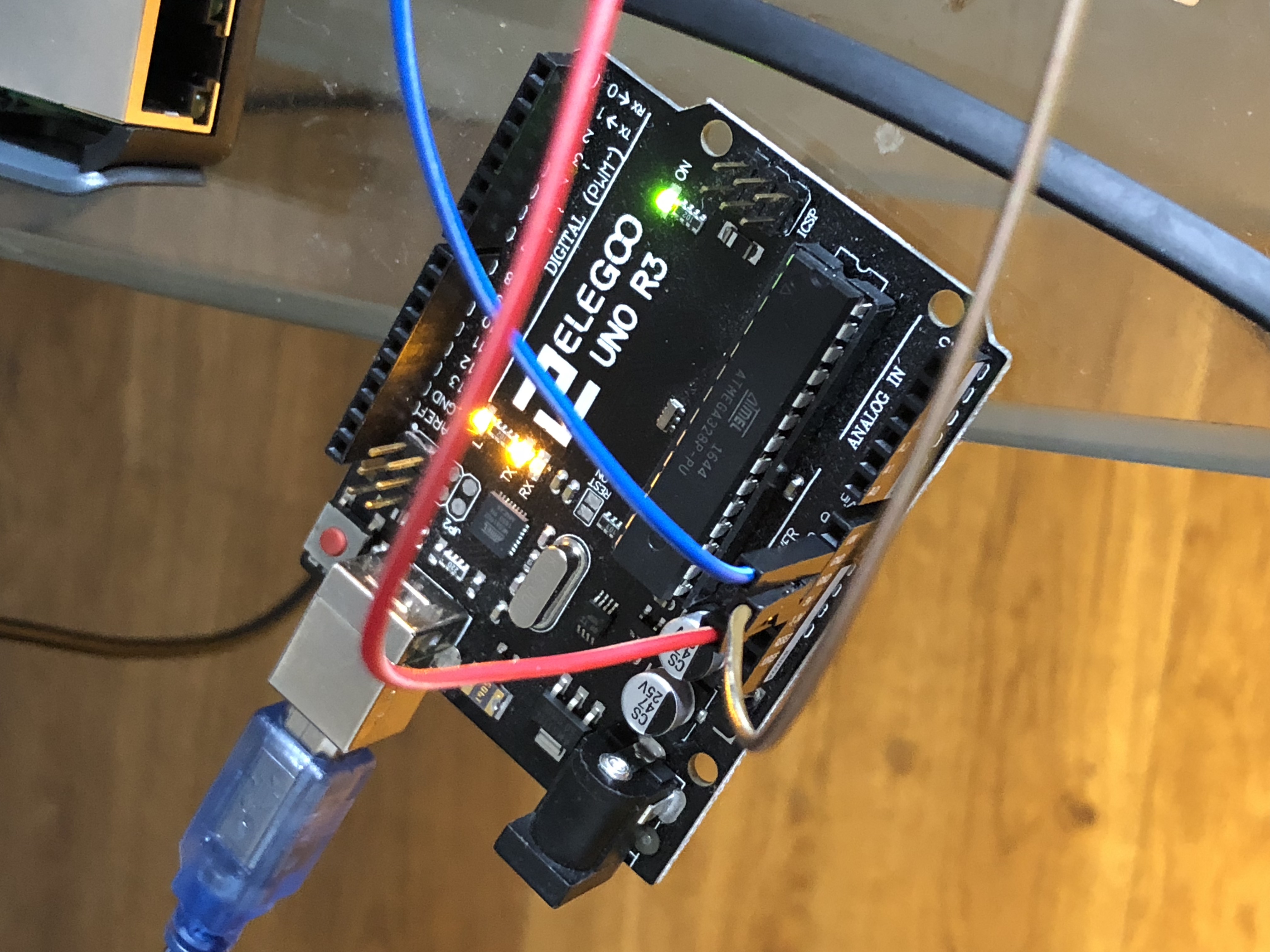
The connected circuit is as follows:
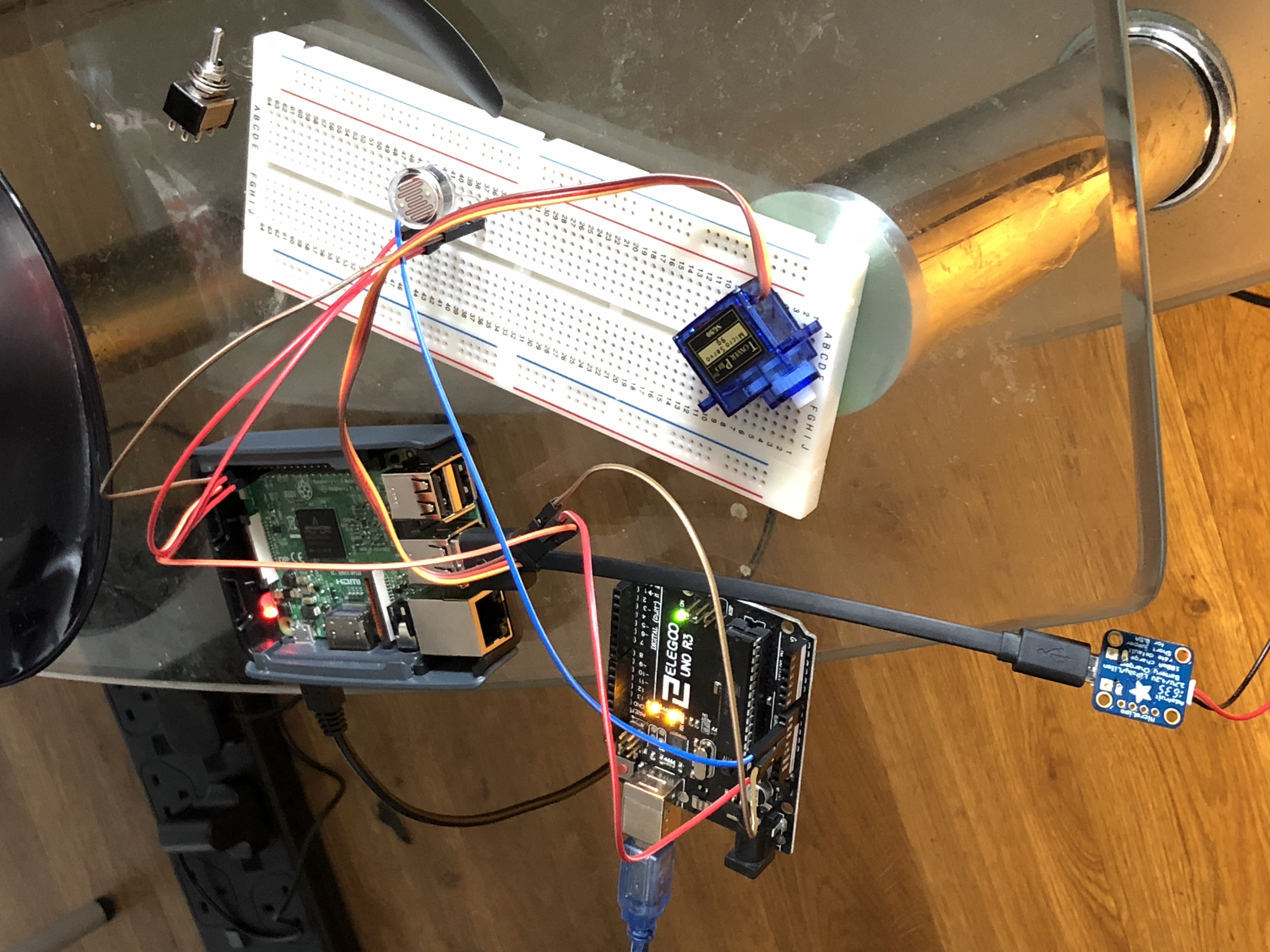
When the motor starts to work, the motor rotates clockwise and the curtains down; the motor rotates counterclockwise and the curtains rise.
Photo sensitive control
the light sensor should be controlled by using the GPIO pin on the Raspberry Pi. The Raspberry Pi pins are as follows:
The pin connection is as shown in Figure ① ② ③ below:
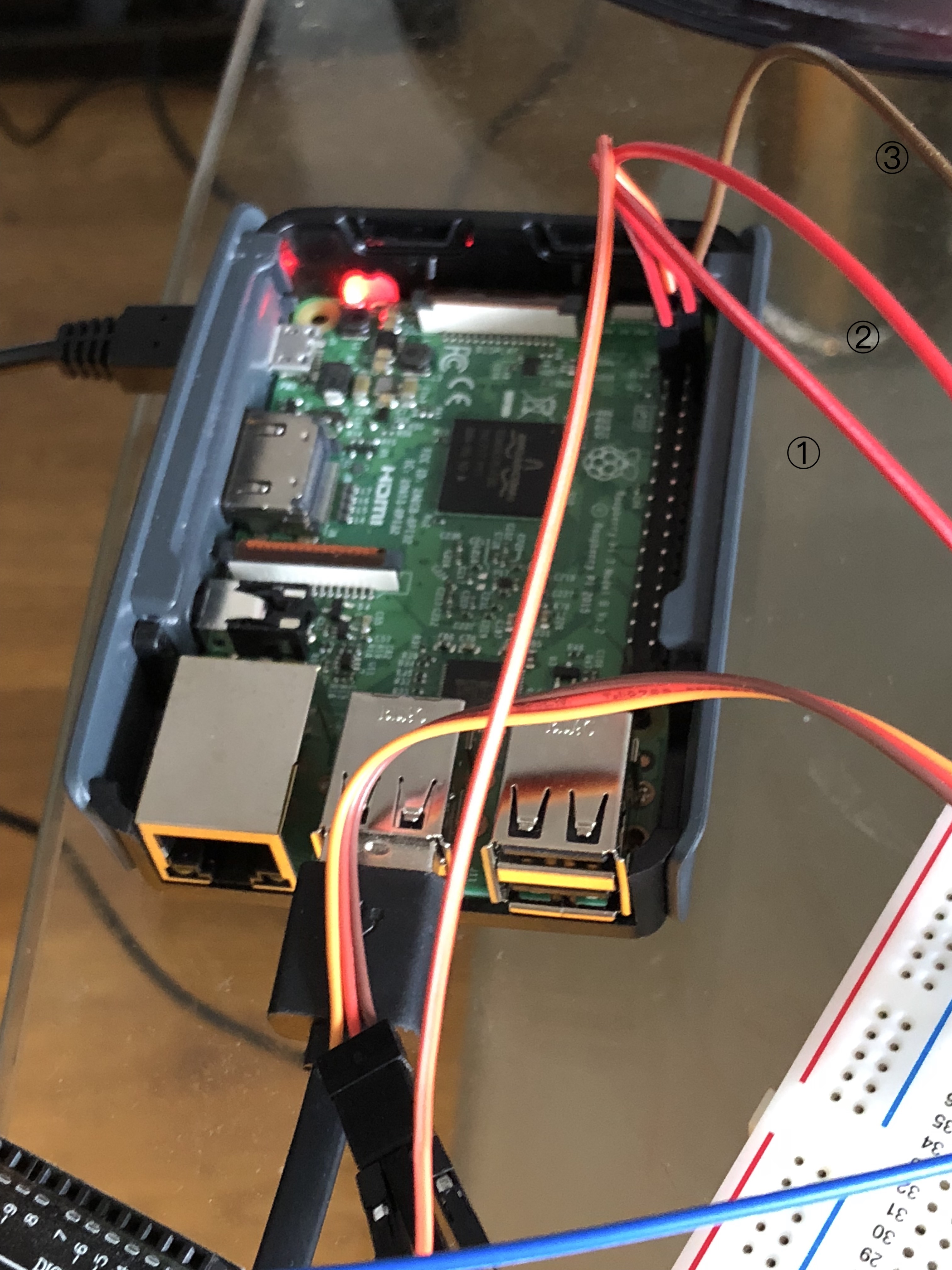
The photo sensitive control circuit is shown below: