Tutorial - 0x462e41/SS3D GitHub Wiki
For this simple tutorial, we will be comparing the Sequence Similarity in 3D of the small ubiquitin-related modifier protein (SUMO-1) and the ubiquitin protein (Ub).
At the end, we will be able to use the SS3D output to generate a matrix and also using as a coloring method when viewing the SUMO-1 pdb structure.
Note: Along with the code, there is a folder called "tutorial". It contains the processed and renumbered pdb files, allowing them to be sent immediately for SS3D analysis, skipping the processing steps.
Getting the structure files
The structure of both proteins are present in the PDB data bank at: 1ubq(Ub) and 1a5r(SUMO-1). Download the structure as PDB format, using the "Download Files" button at the top of the page.
Processing the pdb - RMSD
Looking at the 1a5r.pdb file, we can see that there are 10 different models to
represent SUMO-1. We can remove the models from 2 to 10 for easy viewing,
leaving only the first model present in the file using a text editor.
Now, we need to align the tertiary structure of the proteins, and remove disordered and high RMSD portions of the proteins. There are several ways to achieve this, but for this tutorial, we use the Matchmaker tool from Chimera software.
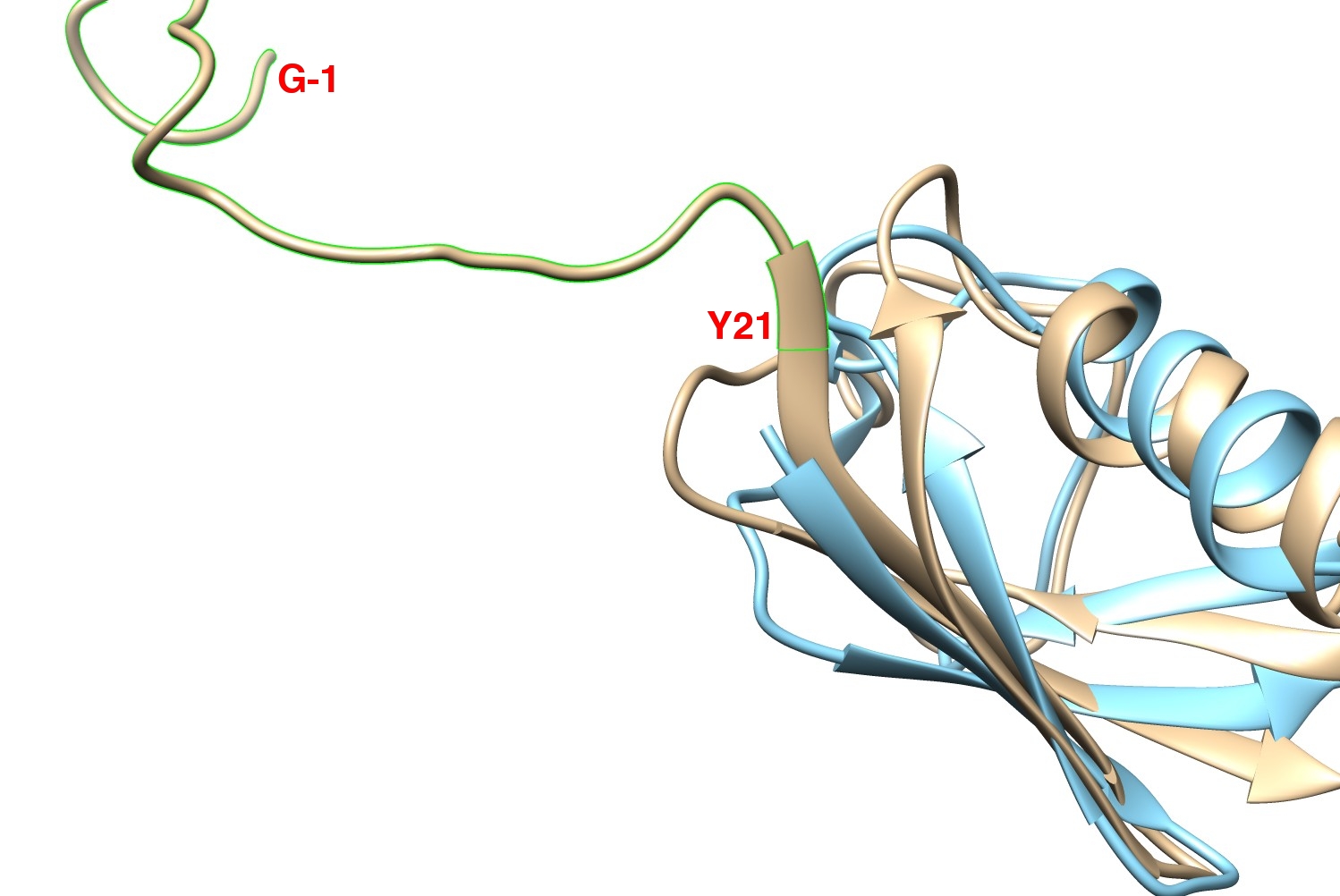
At the N-terminus, there is a highly disordered portion in SUMO-1, between the GLY-1 and TYR21. This portion is marked in green in the image below:
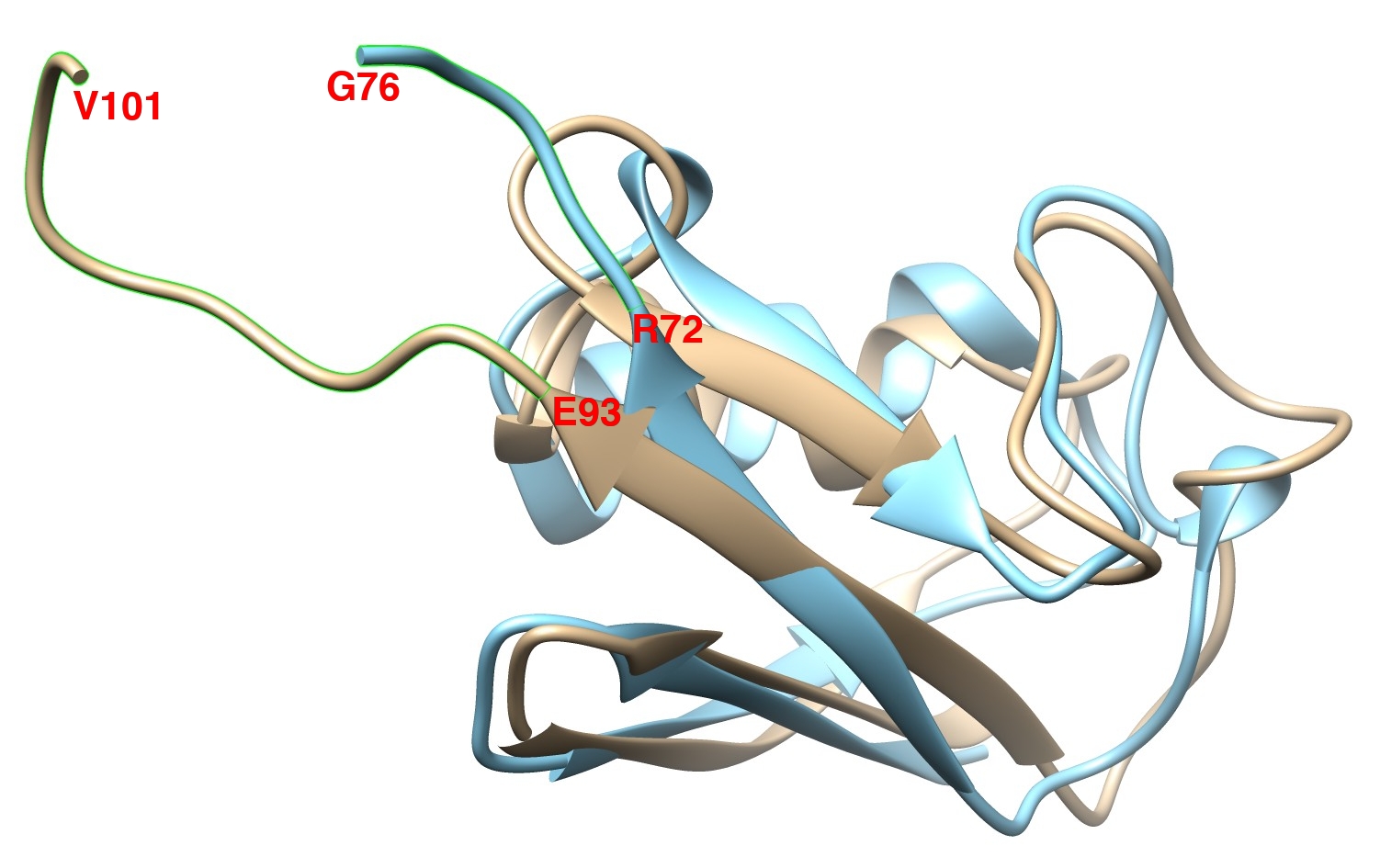
At the C-terminus, we can observe another disordered portion in both proteins, being between Val101 and GLU93 in SUMO-1 and between GLY76 and ARG72 in Ub. Those portions are marked in green in the image below:
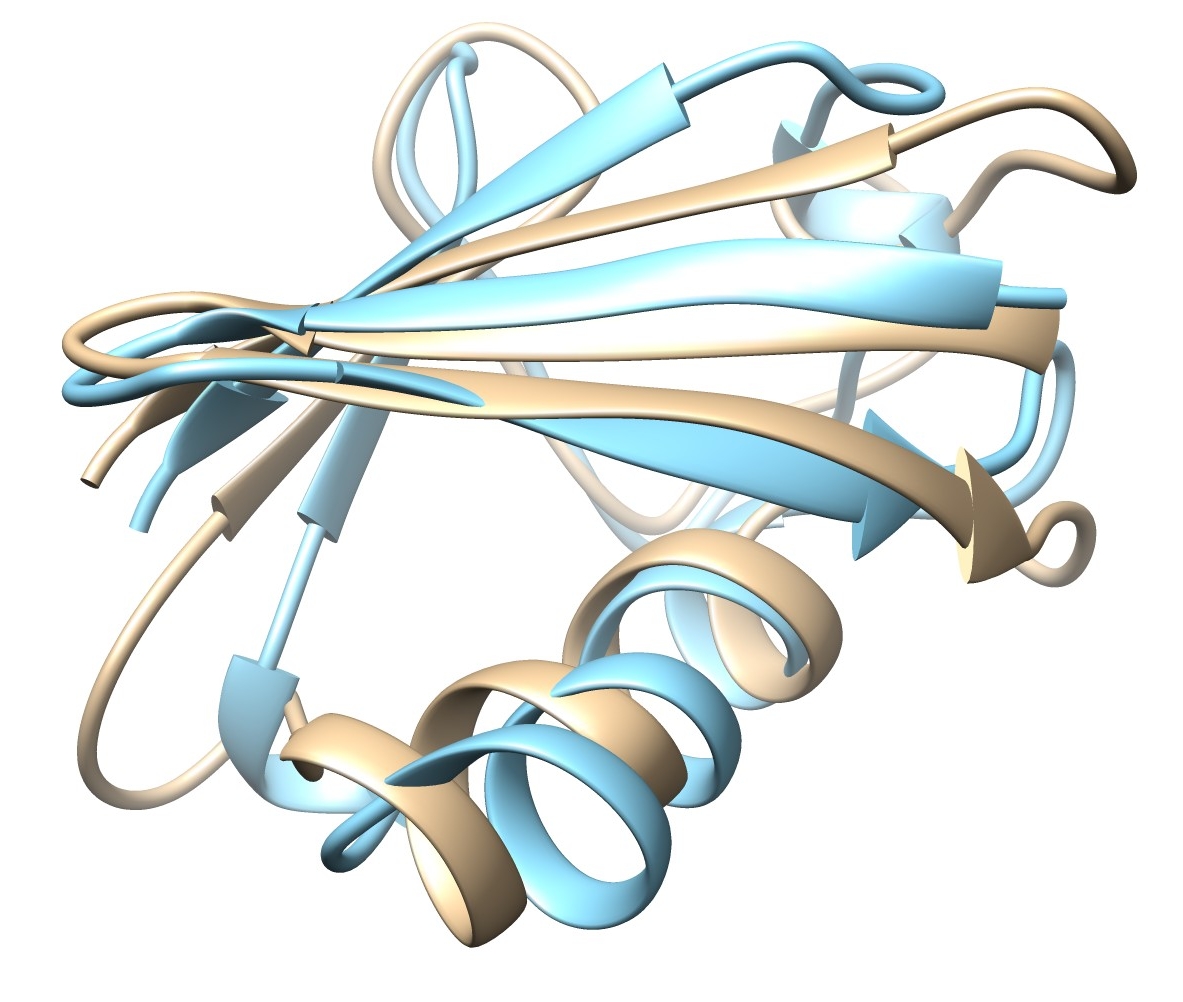
Using a text editor, remove all residues mentioned above, and you should get an alignment like the one in the image below:
Processing the pdb - Sequence alignment
First step is to extract a fasta file from our edited pdb files. In the internet you can easily find an online server that do this, or you can use some script available here, or use the well known Babel software.
You should get this output for the SUMO-1 protein:
>1a5r | chain A | 71 aa
IKLKVIGQDSSEIHFKVKMTTHLKKLKESYCQRQGVPMNSLRFLFEGQRIADNHTPKELG
MEEEDVIEVYQ
And this for the Ub protein:
>1ubq | chain A | 71 aa
MQIFVKTLTGKTITLEVEPSDTIENVKAKIQDKEGIPPDQQRLIFAGKQLEDGRTLSDYN
IQKESTLHLVL
We now need to align the primary structure of the proteins to remove the gaps from the pdb file. There are also many online tools to do so, but for this tutorial we are going to use the EMBOSS Needle, accessible here.
- Open the link above;
- For the first protein, paste the fasta of the SUMO-1 protein (1a5r);
- For the second protein, paste the fasta of the Ub protein (1ubq);
- At the end of the page, click in "Submit", and wait until the job is finished by the server.
You should get a result like this:
1a5r               1 --IKLKVIGQDSSEIHFKVKMTTHLKKLKESYCQRQGVPMNSLRFLFEGQ     48
                       |.:|.:  ....|..:|:.:..::.:|.....::|:|.:..|.:|.|:
1ubq               1 MQIFVKTL--TGKTITLEVEPSDTIENVKAKIQDKEGIPPDQQRLIFAGK     48

1a5r              49 RIADNHTPKELGMEEEDVIEVYQ     71
                     ::.|..|..:..:::|..:.:..
1ubq              49 QLEDGRTLSDYNIQKESTLHLVL     71
We can see that two gaps are present, one at the very beginning and the other a little further in
the sequence, but also at the beginning. To align the pdb file, we need to remove MET1 and
GLN2 from 1ubq.pdb, and GLY28 and GLN29 from 1a5r.pdb.
Processing the pdb - Aligning indexes
There is just one more step before we be able to run SS3D, and that is to align the
indexes after we had removed some residues. It is important because the program uses the
index to pair the residues. One tool to accomplish is present in Gromacs,
the -resnr parameter present in editconf module.
Running the SS3D analysis
To run the SS3D calculation with the default options, type the following command when inside the folder:
./ss3d -a 1a5r_processed_renumbered.pdb -b 1ubq_processed_renumbered.pdb -o
ss3d_1a5r_comp_1ubq.xvg -norm
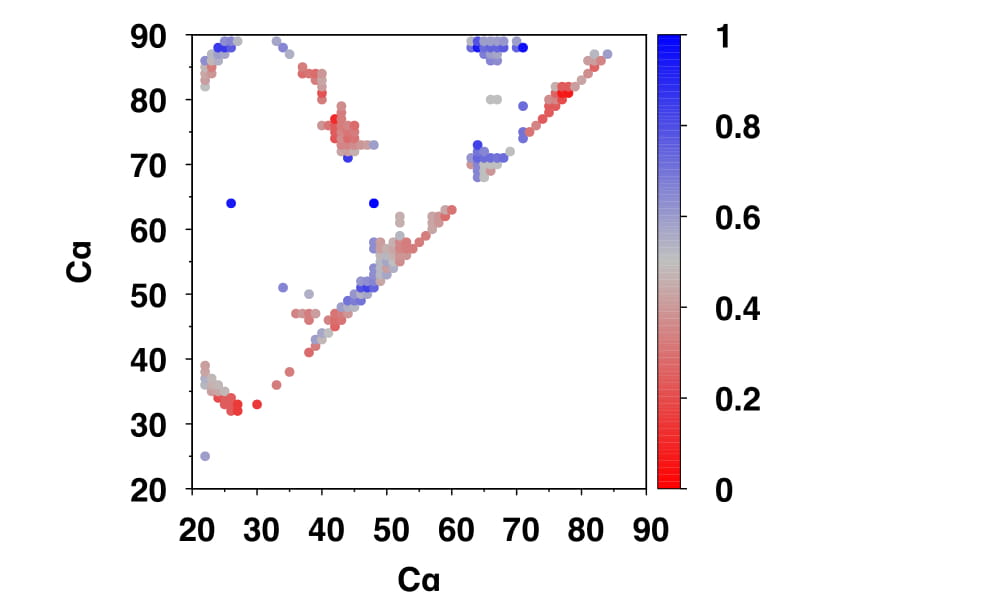
As output, the SS3D software generates a text file with three columns, the first
two being the indexes of the two Cα atoms in contact, and the third corresponding to the
SS3D value between the two proteins. Smaller SS3D values indicate a lower similarity,
and larger values correspond to a higher similarity around the particular contact. It is also
possible to normalize the SS3D values to a 0-1 scale using the -norm parameter.
Generating a matrix visualization
Simple and yet very useful, generating a contact matrix, using the SS3D value as a coloring method, is a good start. Using the first two column as the coordinate of the points and the third mapped to a color scale, you should obtain a plot like the one below:
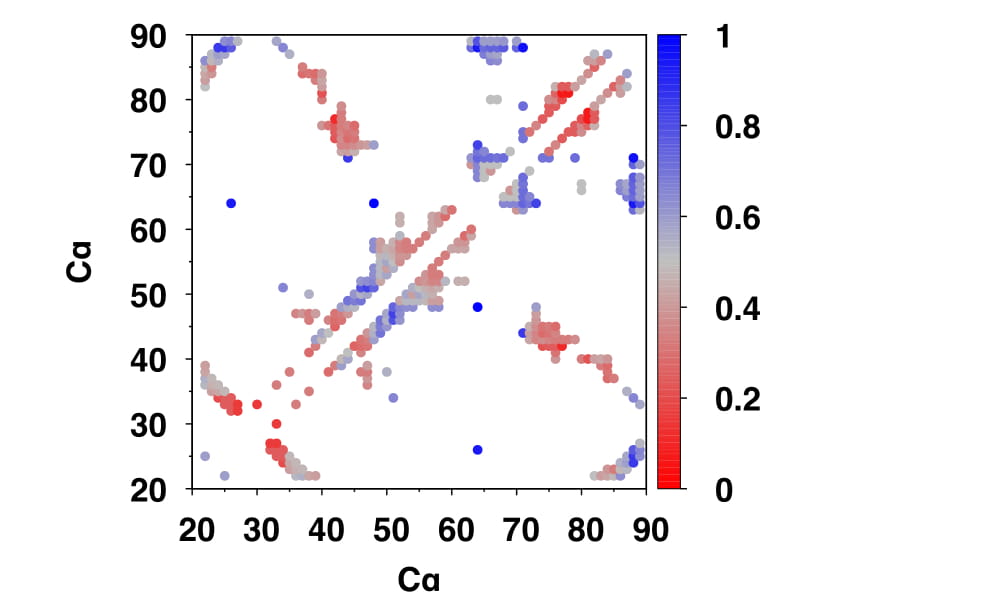
A quick way to mirror this matrix is to use the -dup parameter in conjunction with the
previous command:
./ss3d -a 1a5r_processed_renumbered.pdb -b 1ubq_processed_renumbered.pdb -o
ss3d_1a5r_comp_1ubq.xvg -norm -dup
Mapping the score value to the B-factor
Another way to represent SS3D values is mapping them to the B-factor column of the pdb file
with the -bfac parameter, which can be colored by value by most protein structure
visualization software.
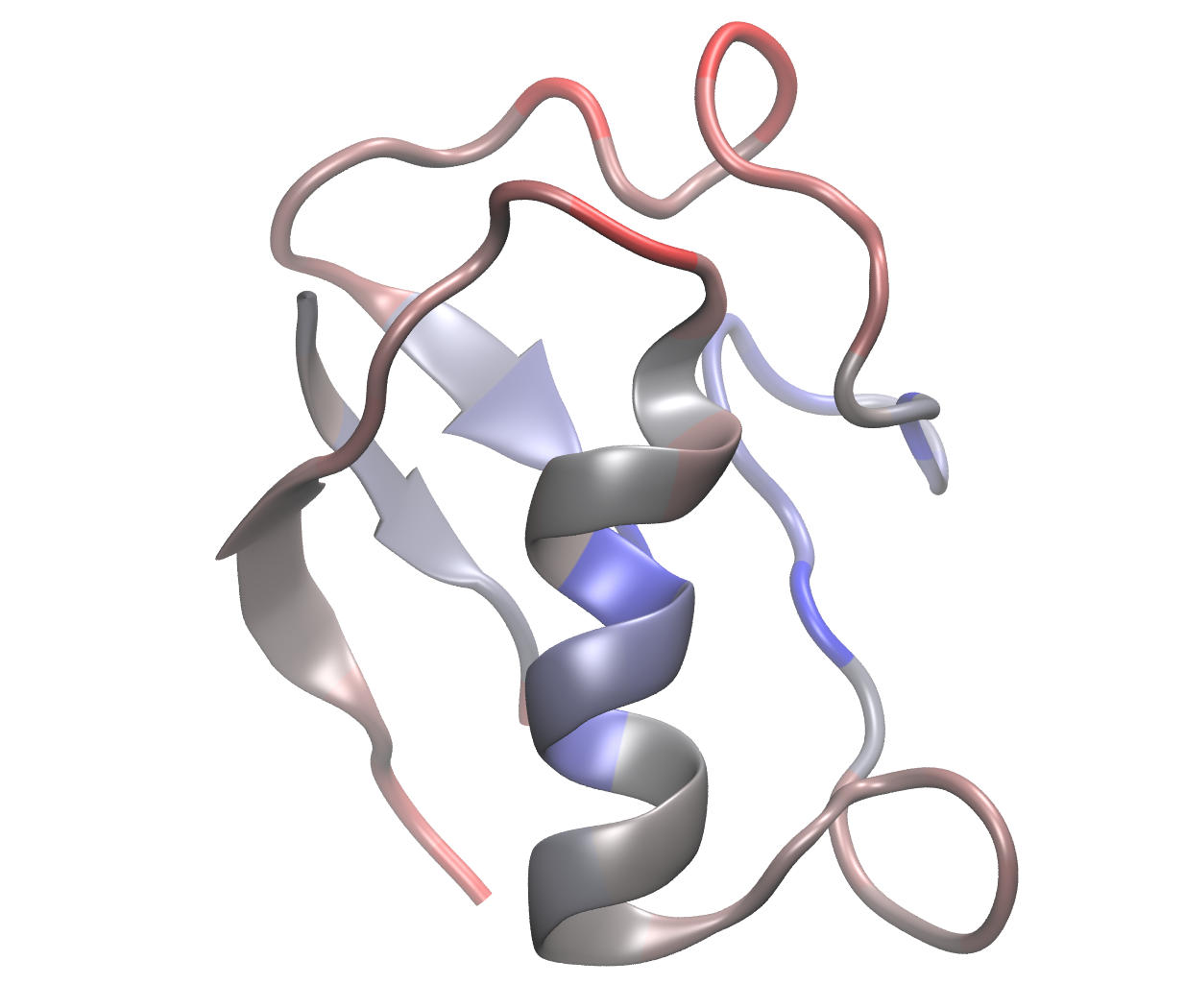
This representation effectively is beneficial for illustrating the correlation between
similarity and protein structure-activity relationships: